


Score sequences with a foundation model
Use PoET-2 to score EstA variants without assay-specific training, rank their log-likelihood scores, and compare them with the wild type.
In this tutorial, we will use PoET-2 to score the relative fitness of a small set of protein variants without training a model on experimental measurements. This is zero-shot scoring: the foundation model evaluates sequences using patterns learned during pretraining and the examples supplied in its context.
We will score Lipase A (EstA) from Bacillus subtilis, comparing the wild-type sequence with two single-substitution variants and their combination. We will use the same context for all four sequences, rank the results, and compare each variant with the wild type.
Before starting
-
Have an EstA context prepared using Tutorial: Building a prompt context. For other ways to prepare a context, refer to How to create a prompt context.
-
Python client: Have an authenticated OpenProtein.AI session, with numpy and pandas installed.
We will use the following variants:
-
EstA_WT: Wildtype EstA sequence
-
EstA_R33A: Wildtype EstA sequence with arginine to alanine substitution at position 33
-
EstA_L84R: Wildtype EstA sequence with leucine to arginine substitution at position 84
-
EstA_R33A_L84R: Wildtype EstA sequence with both substitutions in (2) and (3)
Prepare the sequences
We will include the wild type in the same scoring job as the variants. This gives us a baseline evaluated under identical conditions.
Copy the following into a file named EstA_variants.fasta:
>EstA_WT
AEHNPVVMVHGIGGASFNFAGIKSYLVSQGWSRDKLYAVDFWDKTGTNYNNGPVLSRFVQKVLDETGAKKVDIVAHSMGGANTLYYIKNLDGGNKVANVVTLGGANRLTTGKALPGTDPNQKILYTSIYSSADMIVMNYLSRLDGARNVQIHGVGHIGLLYSSQVNSLIKEGLNGGGQNTN
>EstA_R33A
AEHNPVVMVHGIGGASFNFAGIKSYLVSQGWSADKLYAVDFWDKTGTNYNNGPVLSRFVQKVLDETGAKKVDIVAHSMGGANTLYYIKNLDGGNKVANVVTLGGANRLTTGKALPGTDPNQKILYTSIYSSADMIVMNYLSRLDGARNVQIHGVGHIGLLYSSQVNSLIKEGLNGGGQNTN
>EstA_L84R
AEHNPVVMVHGIGGASFNFAGIKSYLVSQGWSRDKLYAVDFWDKTGTNYNNGPVLSRFVQKVLDETGAKKVDIVAHSMGGANTRYYIKNLDGGNKVANVVTLGGANRLTTGKALPGTDPNQKILYTSIYSSADMIVMNYLSRLDGARNVQIHGVGHIGLLYSSQVNSLIKEGLNGGGQNTN
>EstA_R33A_L84R
AEHNPVVMVHGIGGASFNFAGIKSYLVSQGWSADKLYAVDFWDKTGTNYNNGPVLSRFVQKVLDETGAKKVDIVAHSMGGANTRYYIKNLDGGNKVANVVTLGGANRLTTGKALPGTDPNQKILYTSIYSSADMIVMNYLSRLDGARNVQIHGVGHIGLLYSSQVNSLIKEGLNGGGQNTNIn the top navigation bar, select Tools > Batch (under the Predict column).
At the top of the page, click the pencil in the name bar to name your job EstA_variant_scoring, so that you can find it easily later.
From the Model dropdown in the settings panel on the right, select PoET-2 as the scoring model.
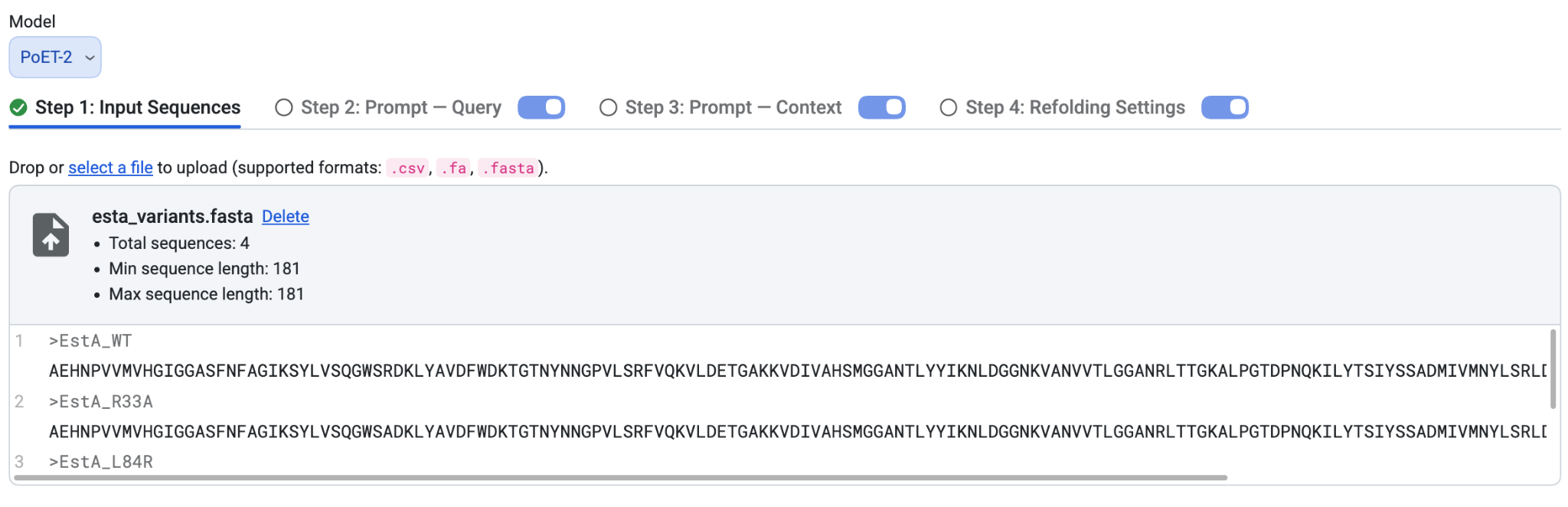
Click “Upload a file” and select EstA_variants.fasta under Step 1: Input Sequences.
Confirm that all four sequences are present. Click Next.
Select the prompt context
We will reuse the EstA homolog context prepared in the prompt-building tutorial. This conditions PoET-2 on examples from the relevant protein family.
We will leave the query disabled for this example and score the complete input sequences using the context alone.
Under Step 2: Prompt – Query, disable the query. Click Next.
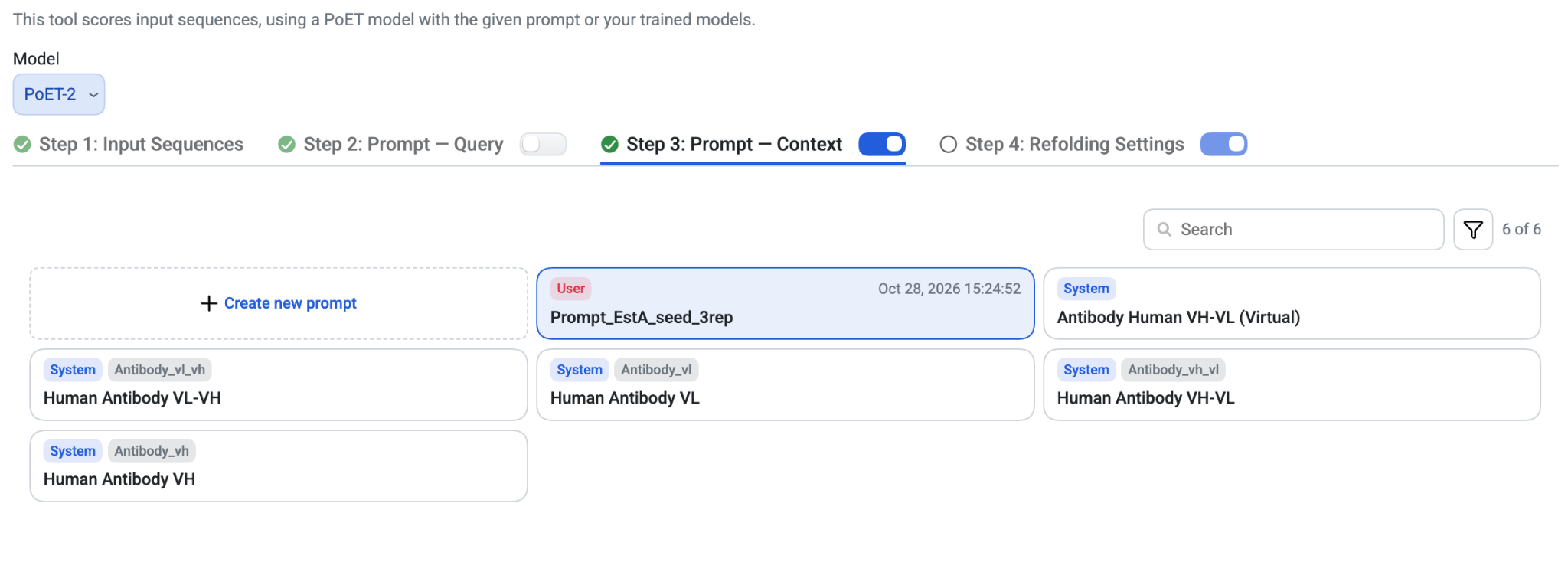
Under Step 3: Prompt – Context, select Use Existing Prompt.
Choose the saved EstA context (in the tutorial, we named it “Prompt_EstA_seed_3rep”). Confirm that the selected context represents EstA homologs. Click Next.
For Step 4: Refolding Settings, keep the Default setting under “Structure Prediction Models” of None. If a model is selected, it will be used to predict the structure of all the sequences submitted for scoring.
Refer to the How to build a prompt context for the available options in building a prompt.
Run the scoring job
We will submit all four sequences together. Scoring evaluates the supplied sequences; it does not generate new variants.
Click Run and wait for the scoring job to complete. Runtime typically takes several minutes and depends on sequence length, context size, ensemble count, and service load.
Rank the sequences
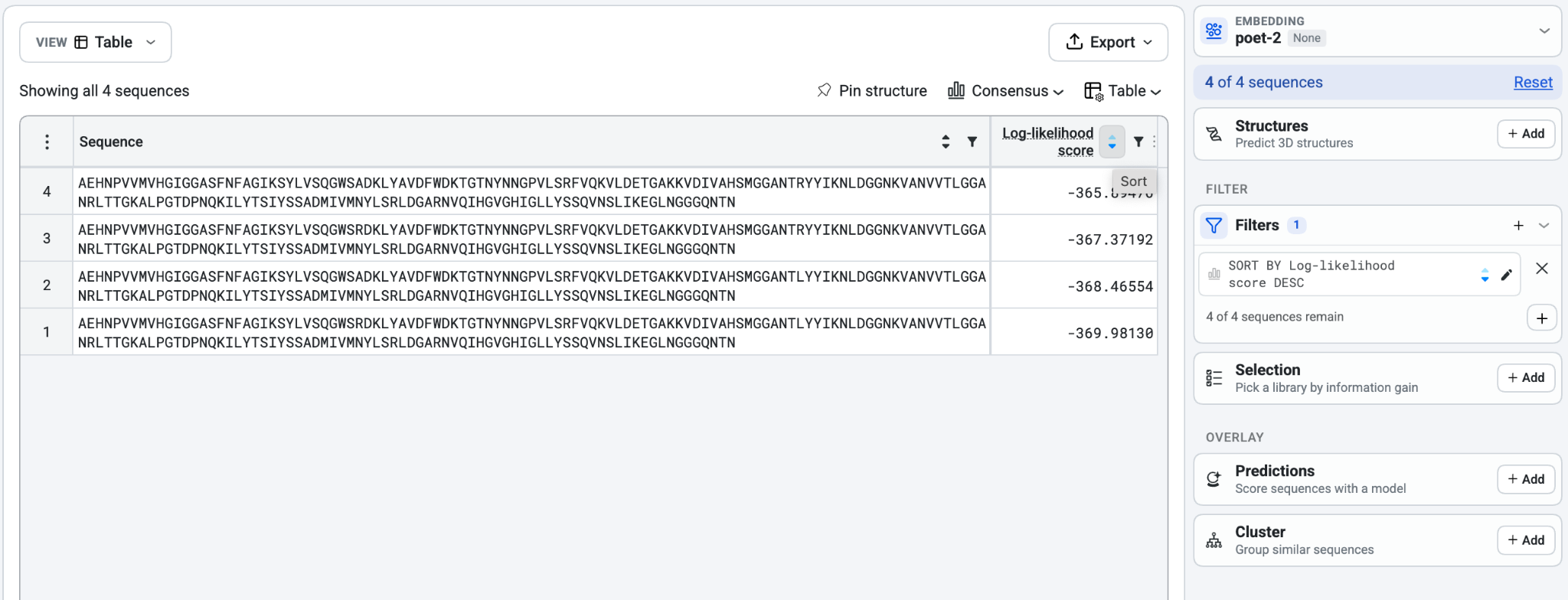
We will compare the log-likelihood scores. A higher, or less negative, score indicates that the model considers a sequence to have higher fitness and compatibility with the supplied context. These scores help prioritize variants based on evolutionary fitness, which are generally correlated with properties of interest such as enzyme activity, stability, or expression.
When the score job is complete, the results will be displayed in a table showing the Sequence and corresponding predicted Log-likelihood score. Table display controls can be accessed from the buttons above the table, and operations like Filtering and Selection can be set from the right panel.
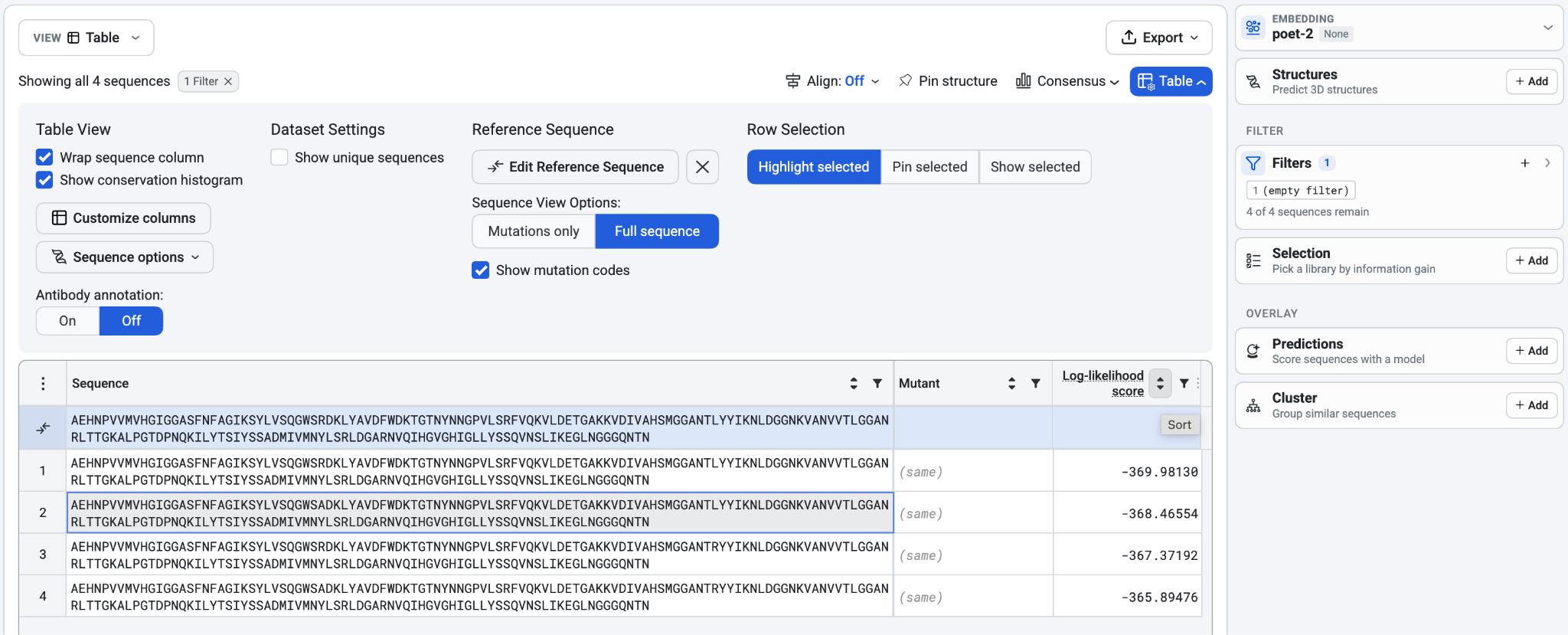
To sort the Log-likelihood column from highest to lowest, we can either click the down arrow in the “Log-likelihood score” column header, or click “+” in the “Filters” section in the right panel to add a filter condition, selecting the option to sort by log-likelihood score.
Refer to interpreting the results table for the full options for table operations like and display controls.
Compare each variant with the wild type
We will calculate a relative score by subtracting the wild-type score:
Relative score = variant score − wild-type score
-
Positive: The variant scores higher than the wild type.
-
Negative: The variant scores lower than the wild type.
-
Zero: The scores are equal.
Keep comparisons within the same model, context, and scoring configuration. Scores from different prompts should not be treated as directly interchangeable.
Compare each variant’s score with EstA_WT – in this example, this was submitted as the first sequence to be scored. Export the table to add a column to calculate the differences in a spreadsheet. The wild type sequence should have a relative score of 0.
Save the results
We will retain the complete scored set, including the wild-type baseline, before selecting variants for further analysis.
Use Export to download the results table. Record the model and context used for the run.
Congratulations! You have completed the tutorial for scoring and ranking a set of EstA variants relative to the wildtype. These results provide a starting point for selecting promising candidates for experimental testing.
To explore every single substitution of a reference sequence, continue to Substitution Analysis. To predict a measured property using a model trained on experimental data, follow the Batch Analysis tutorial.