


Score insertions, deletions and replacements in a protein sequence
Screen nuclear localization signal insertion sites in Cas9
In this tutorial, we will learn how to use the Indel Analysis tool to screen insertions, deletions and replacements zero-shot using PoET-2. We'll apply this to screening for nuclear localization sites in Cas9.
Before we start, we'll need to get the Cas9 sequences from UniProt. We'll use Cas9 from Staphylococcus aureus.
MKRNYILGLDIGITSVGYGIIDYETRDVIDAGVRLFKEANVENNEGRRSKRGARRLKRRRRHRIQRVKKLLFDYNLLTDHSELSGINPYEARVKGLSQKLSEEEFSAALLHLAKRRGVHNVNEVEEDTGNELSTKEQISRNSKALEEKYVAELQLERLKKDGEVRGSINRFKTSDYVKEAKQLLKVQKAYHQLDQSFIDTYIDLLETRRTYYEGPGEGSPFGWKDIKEWYEMLMGHCTYFPEELRSVKYAYNADLYNALNDLNNLVITRDENEKLEYYEKFQIIENVFKQKKKPTLKQIAKEILVNEEDIKGYRVTSTGKPEFTNLKVYHDIKDITARKEIIENAELLDQIAKILTIYQSSEDIQEELTNLNSELTQEEIEQISNLKGYTGTHNLSLKAINLILDELWHTNDNQIAIFNRLKLVPKKVDLSQQKEIPTTLVDDFILSPVVKRSFIQSIKVINAIIKKYGLPNDIIIELAREKNSKDAQKMINEMQKRNRQTNERIEEIIRTTGKENAKYLIEKIKLHDMQEGKCLYSLEAIPLEDLLNNPFNYEVDHIIPRSVSFDNSFNNKVLVKQEENSKKGNRTPFQYLSSSDSKISYETFKKHILNLAKGKGRISKTKKEYLLEERDINRFSVQKDFINRNLVDTRYATRGLMNLLRSYFRVNNLDVKVKSINGGFTSFLRRKWKFKKERNKGYKHHAEDALIIANADFIFKEWKKLDKAKKVMENQMFEEKQAESMPEIETEQEYKEIFITPHQIKHIKDFKDYKYSHRVDKKPNRELINDTLYSTRKDDKGNTLIVNNLNGLYDKDNDKLKKLINKSPEKLLMYHHDPQTYQKLKLIMEQYGDEKNPLYKYYEETGNYLTKYSKKDNGPVIKKIKYYGNKLNAHLDITDDYPNSRNKVVKLSLKPYRFDVYLDNGVYKFVTVKNLDVIKKENYYEVNSKCYEEAKKLKKISNQAEFIASFYNNDLIKINGELYRVIGVNNDLLNRIEVNMIDITYREYLENMNDKRPPRIIKTIASKTQSIKKYSTDILGNLYEVKSKKHPQIIKKGWe'll also need our nuclear localization signal (NLS) sequence. We'll use the nuclear localization signal peptide from c-Myc.
PAAKRVKLDRunning the analysis
Basic inputs
Navigate to the Indel Analysis tool by going to Tools > Predict > Indels. For this analysis, we'll just screen insertions without any corresponding deletions (replacement), so enter the nuclear localization signal in the Insert box and the Cas9 sequence in the Input Sequence box. Leave the Delete box empty.
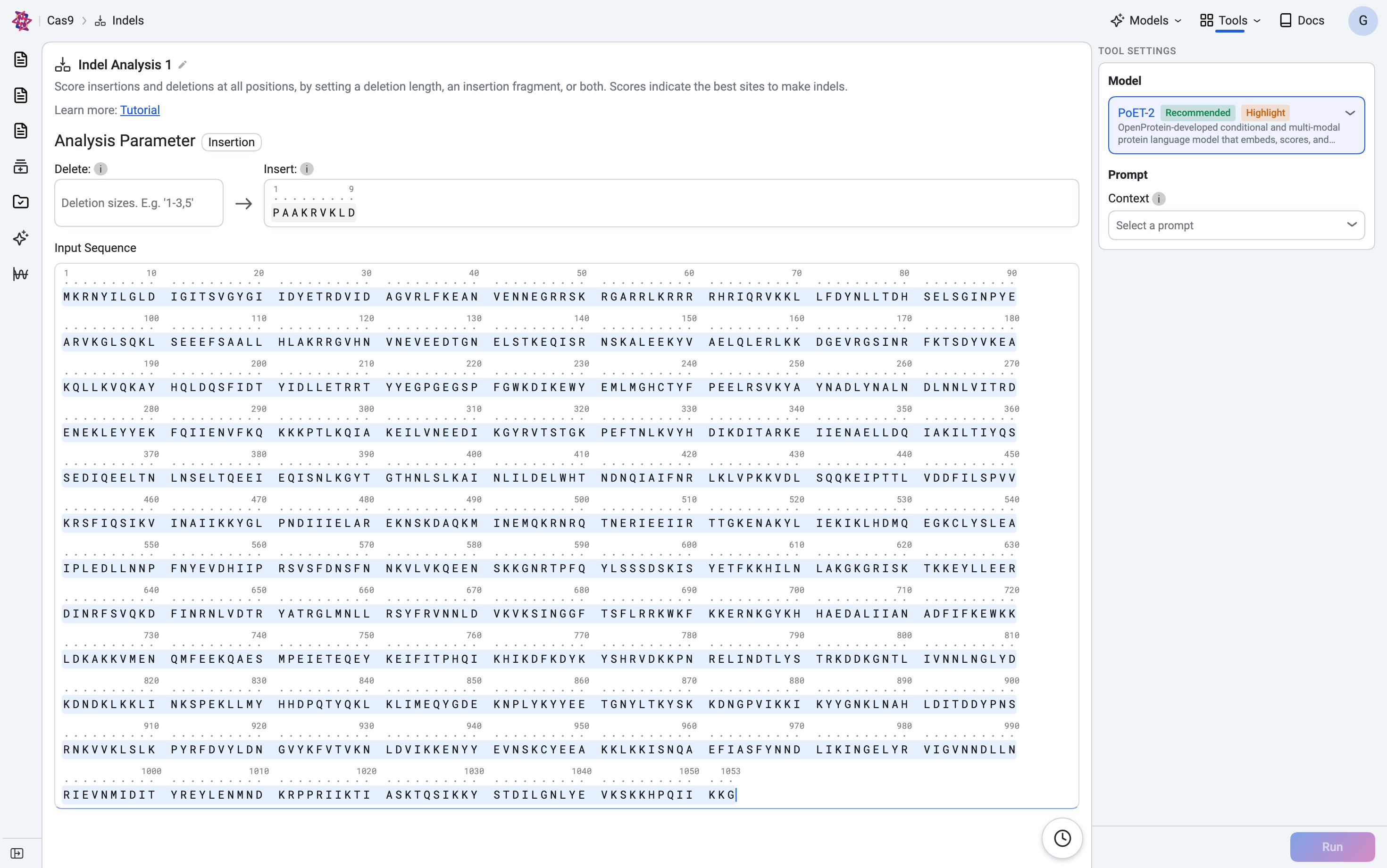
PoET-2 prompt settings
Because we're using PoET-2 for this analysis, we'll need to decide what prompt context to use. Here, we'll build the prompt automatically from homology search with the default settings. Read more about PoET-2 prompts here.
- In the right panel, under Prompt > Context > Select a prompt, click on New prompt
- Choose Homology search. Paste the same Cas9 sequence from above to seed the search.
- Leave the rest of the prompt settings with their default parameters
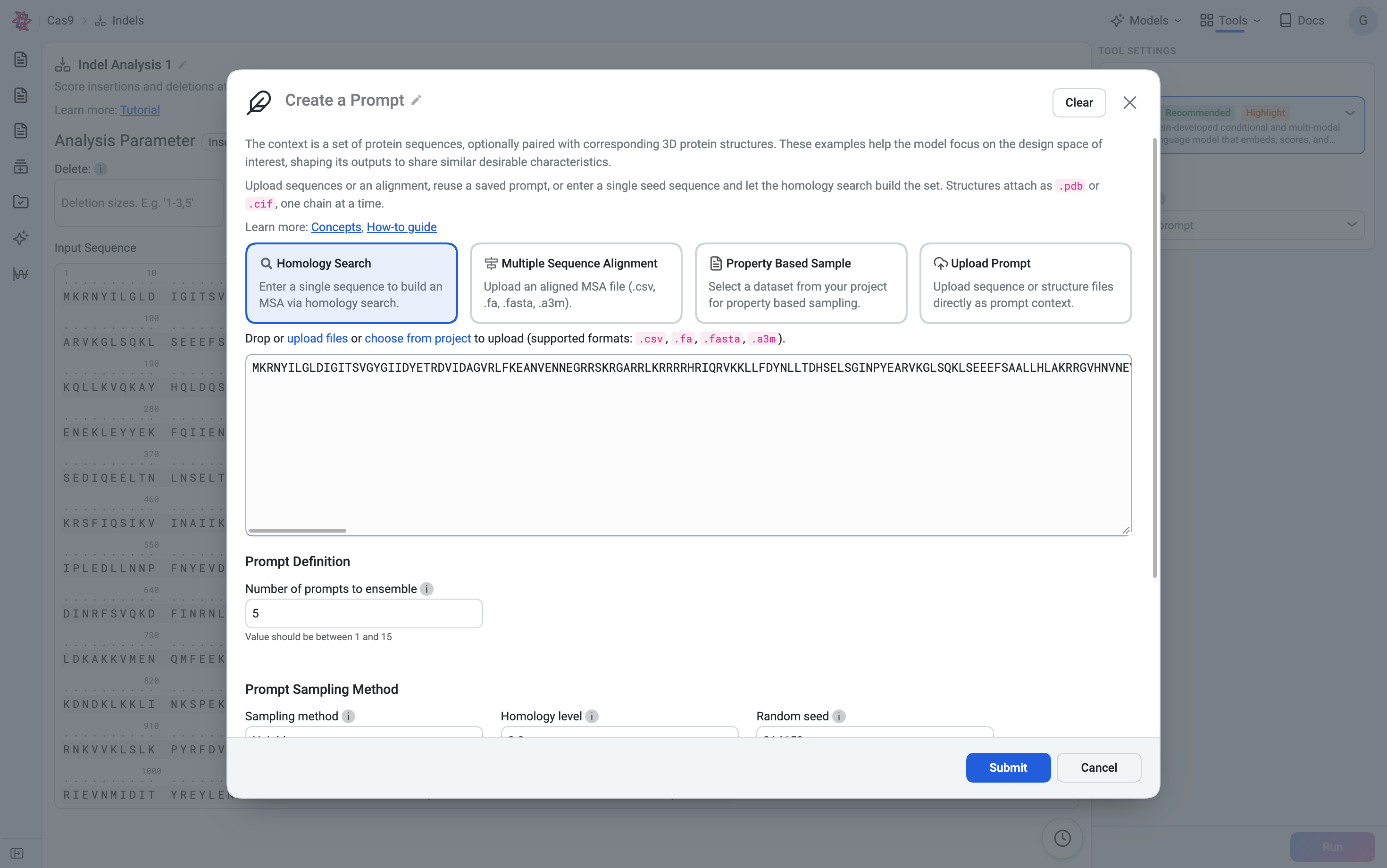
Click Submit to select the prompt, then hit Run on the bottom of the model to start the analysis. When the job starts, we'll be taken to a new page showing the job status. It may take a few minutes for the analysis to complete.
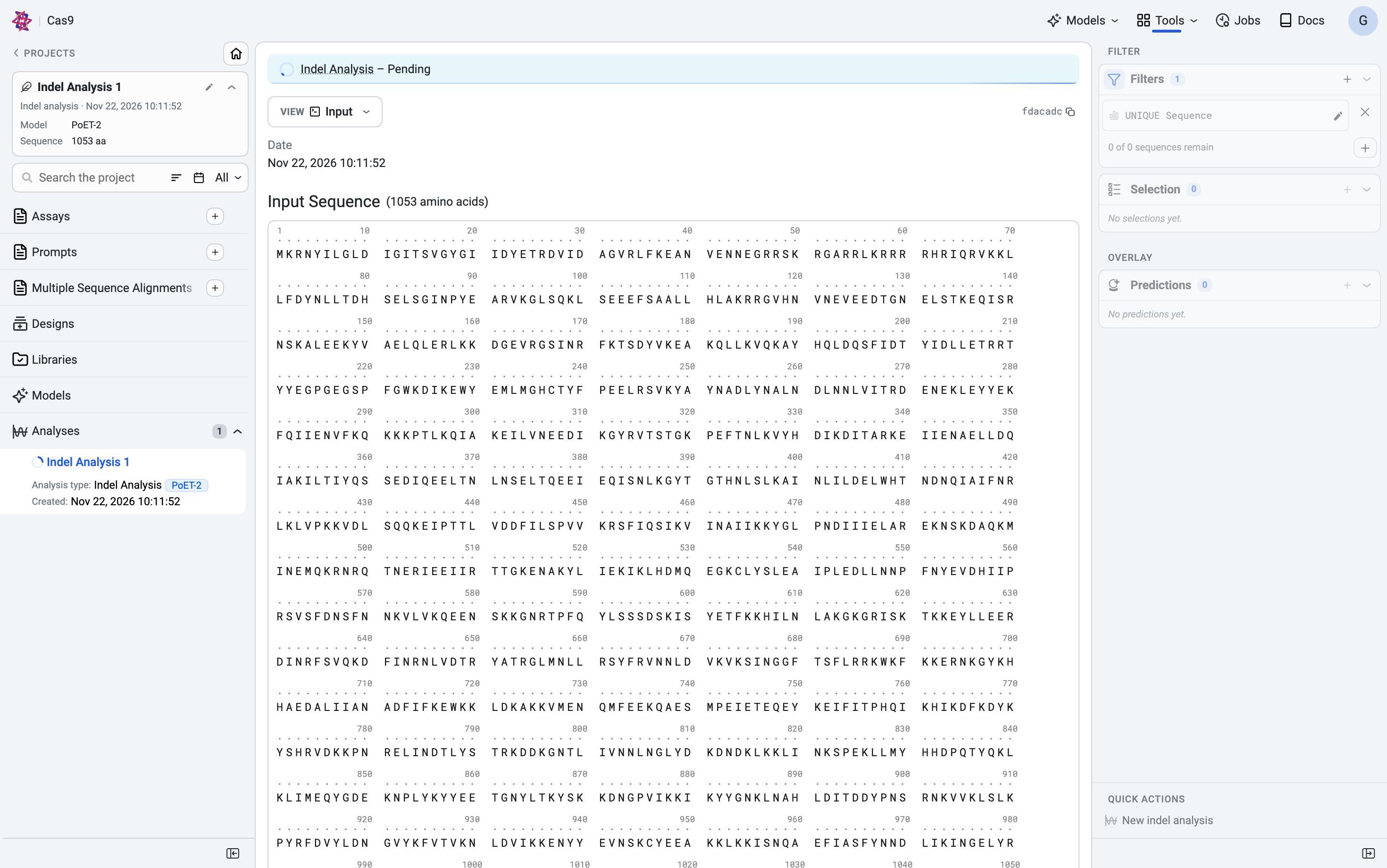
Analyze the results
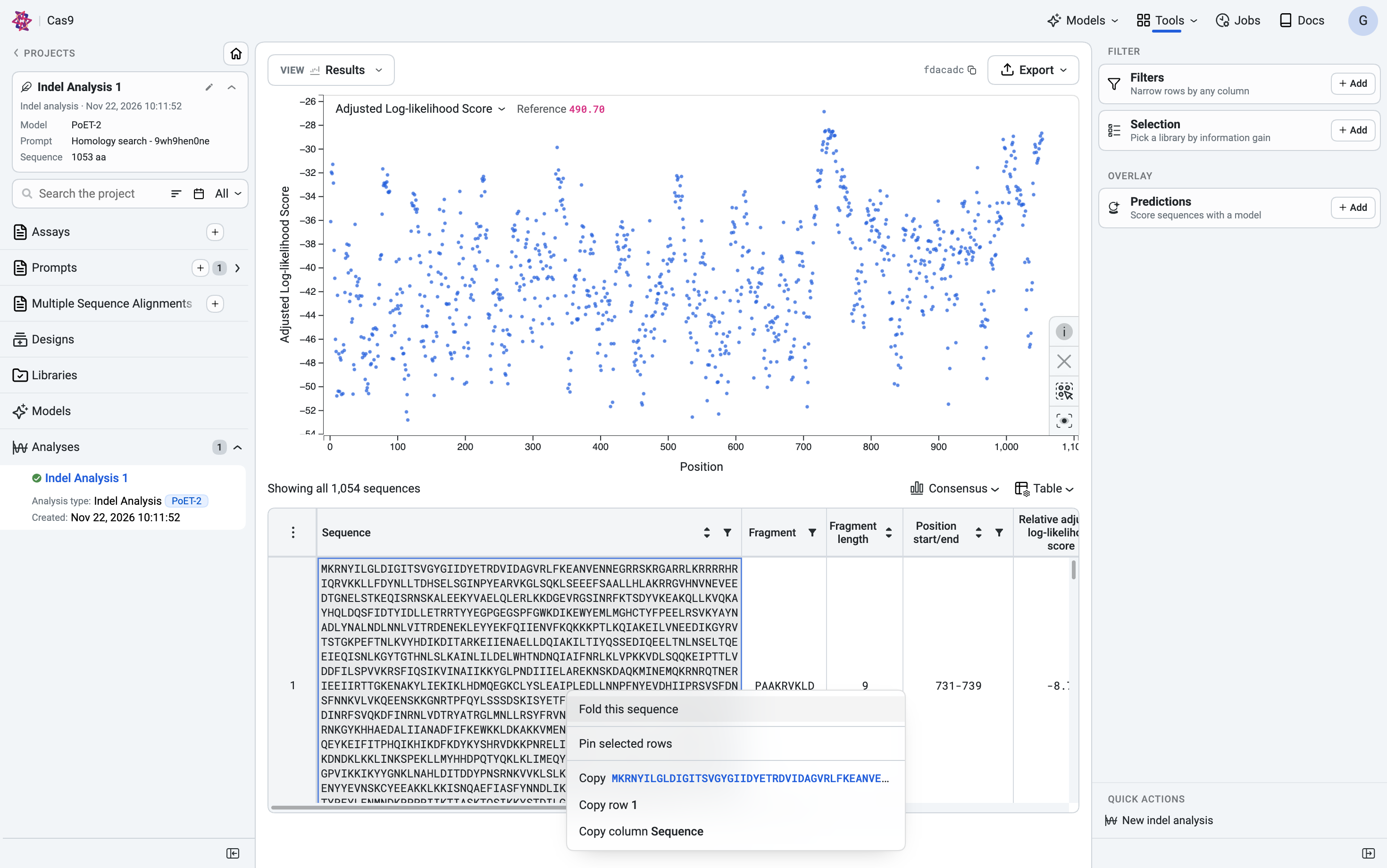
The results page shows a scatter plot with sequence positions on the x-axis and likelihood scores of sequences with the inserted sequence at those positions on the y-axis. Mousing over each point shows a snippet of the corresponding insertion. Below, the table lists the full set of screened sequences with scores to facilitate sorting and filtering.
We can see that the algorithm expects NLS insertions at the N- and C-termini to be well tolerated, as expected. But, interestingly, there is also a position within the protein around position 731 which the algorithm actually prefers.
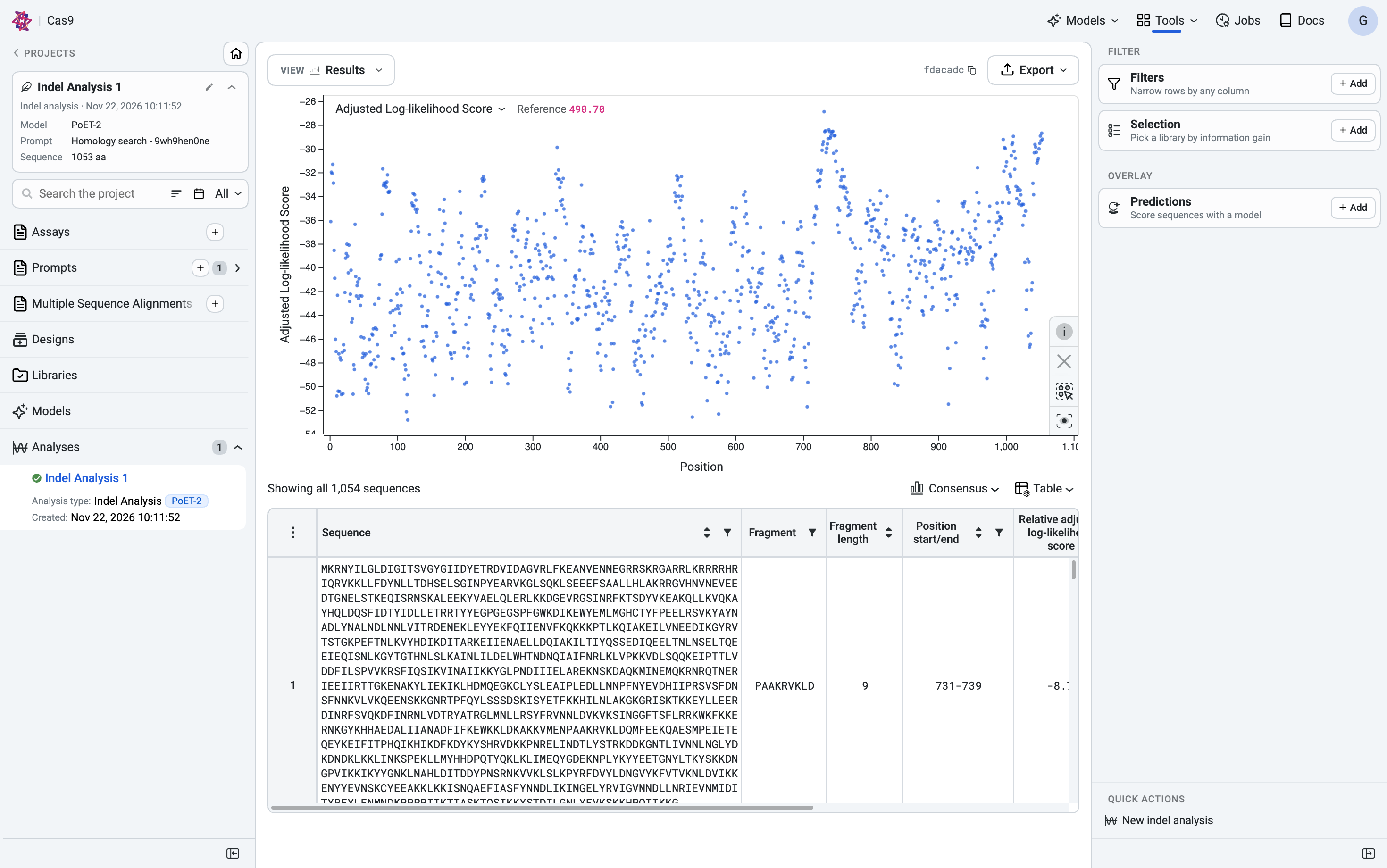
Let’s take a closer look at this sequence. Click on the point in the scatter plot to select it. Right click the sequence and choose Fold this sequence to run a structure prediction on this candidate.
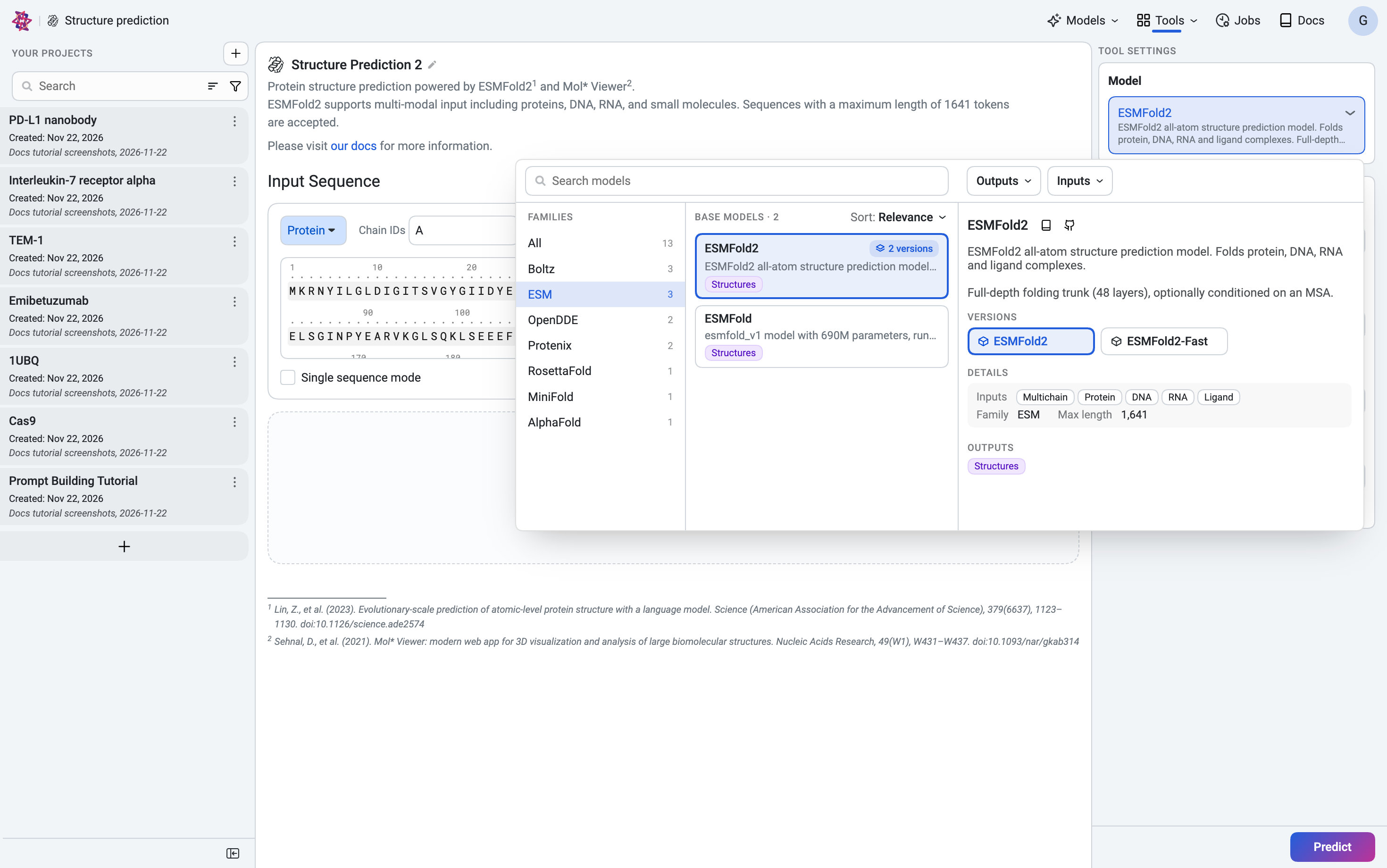
Choose ESMFold2 and leave the other settings as defaults. Then, click Predict to launch the structure prediction.
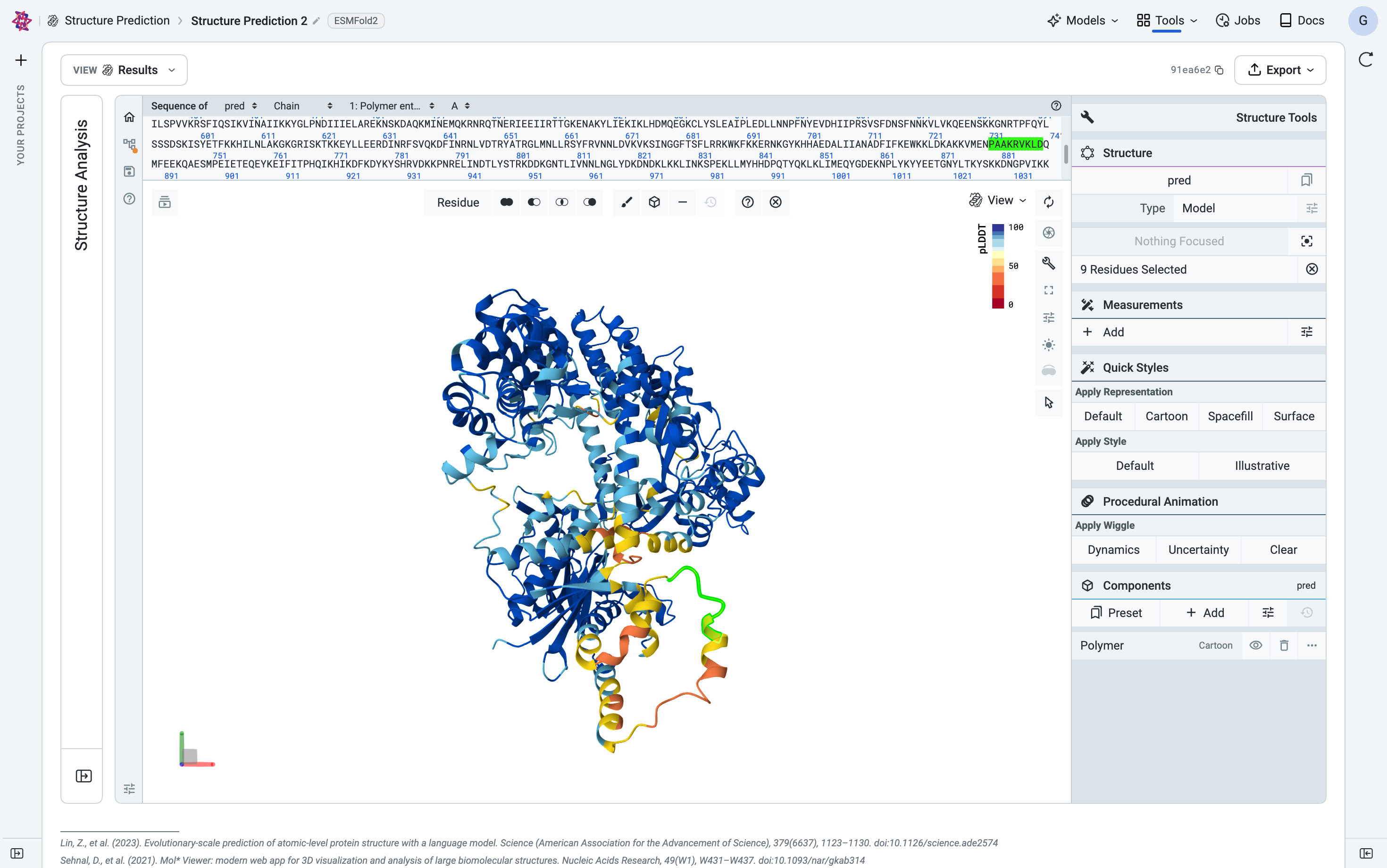
Once the job finishes running, find and highlight the NLS insertion at position 731 in the sequence. Examining the predicted structure, we can see that this insertion position is in an unstructured surface exposed loop, a plausible insertion position for the localization signal.
Next steps
From here, we can go back to the indel analysis results and select additional NLS insertion variants for further analysis or produce a library of variants to build and test in the lab.