


Upload and explore an assay dataset
In this tutorial, we upload a deep mutational scanning dataset for AmiE, an aliphatic amidase from Pseudomonas aeruginosa, and explore it in the platform.
Along the way, we set each column type and check the data with the dataset plots. The result is a clean assay dataset, ready for training a property predictor.
Before beginning
- Create a project. Learn more in our Quickstart guide.
- Download the tutorial file AMIE_PSEAE_Whitehead.wide.csv.
If you're using Python, follow the Python API reference to set up a Python SDK session.
About the dataset
Wrenbeck et al. (2017) measured the fitness of single-substitution variants of AmiE grown on three amide substrates: acetamide, propionamide, and isobutyramide. Fitness is normalized so that the wild type scores 0. Negative values mark variants less fit than the wild type, and positive values mark fitter variants.
The csv file holds 6,819 rows. 6,478 rows are single substitutions at positions 1 to 341 of the 346-residue protein. The remaining 341 rows carry the wild-type sequence, each with a fitness of 0 on all three substrates.
Wild-type sequence
Every variant differs from the 346-residue wild-type AmiE sequence at one position:
MRHGDISSSNDTVGVAVVNYKMPRLHTAAEVLDNARKIAEMIVGMKQGLPGMDLVVFPEYSLQGIMYDPAEMMETAVAIPGEETEIFSRACRKANVWGVFSLTGERHEEHPRKAPYNTLVLIDNNGEIVQKYRKIIPWCPIEGWYPGGQTYVSEGPKGMKISLIICDDGNYPEIWRDCAMKGAELIVRCQGYMYPAKDQQVMMAKAMAWANNCYVAVANAAGFDGVYSYFGHSAIIGFDGRTLGECGEEEMGIQYAQLSLSQIRDARANDQSQNHLFKILHRGYSGLQASGDGDRGLAECPFEFYRTWVTDAEKARENVERLTRSTTGVAQCPVGRLPYEGLEKEA
Mutation codes name each change against this sequence: wild-type residue, position, new residue. For example, M1W replaces the methionine at position 1 with tryptophan, and H3V replaces the histidine at position 3 with valine.
The wild type is the baseline for the fitness scores, which is why its score is 0. In Step 6, we set it as the reference sequence so the table shows each variant's mutation code.
Columns
| CSV column | Content |
|---|---|
| sequence | Full variant sequence |
| acetamide_normalized_fitness | Fitness on acetamide |
| isobutyramide_normalized_fitness | Fitness on isobutyramide |
| propionamide_normalized_fitness | Fitness on propionamide |
Step 1: Open the file
- Select Upload, then Assay.
- In the Upload Dataset dialog, select Choose File and pick
AMIE_PSEAE_Whitehead.wide.csv. Dragging the file onto the dialog also works.
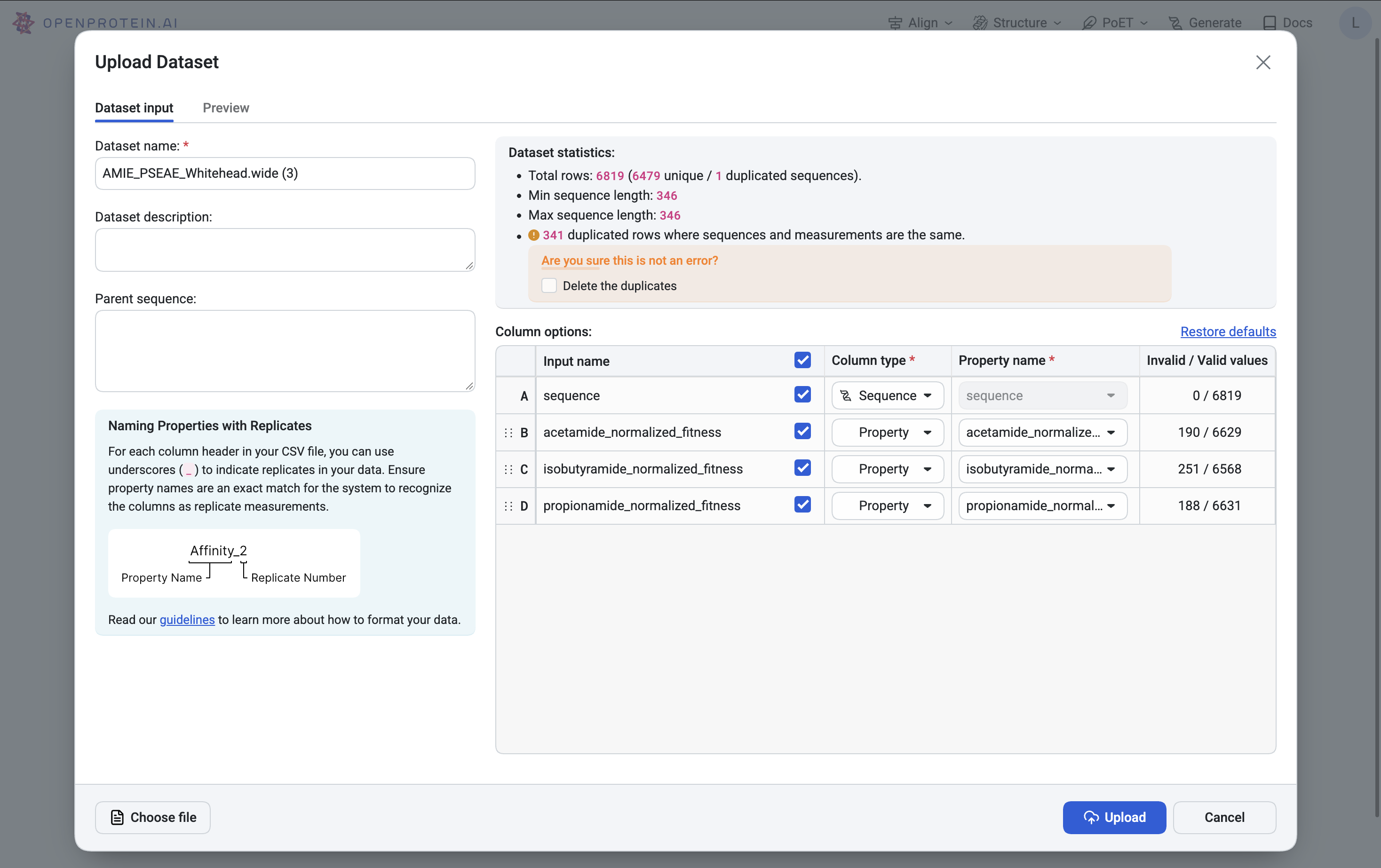
The dialog opens on the Dataset input tab. The Dataset statistics box reports 6,819 total rows (6,479 unique sequences), each 346 residues long.
Step 2: Name the dataset
- Keep the default dataset name,
AMIE_PSEAE_Whitehead.wide, taken from the file name. - Enter
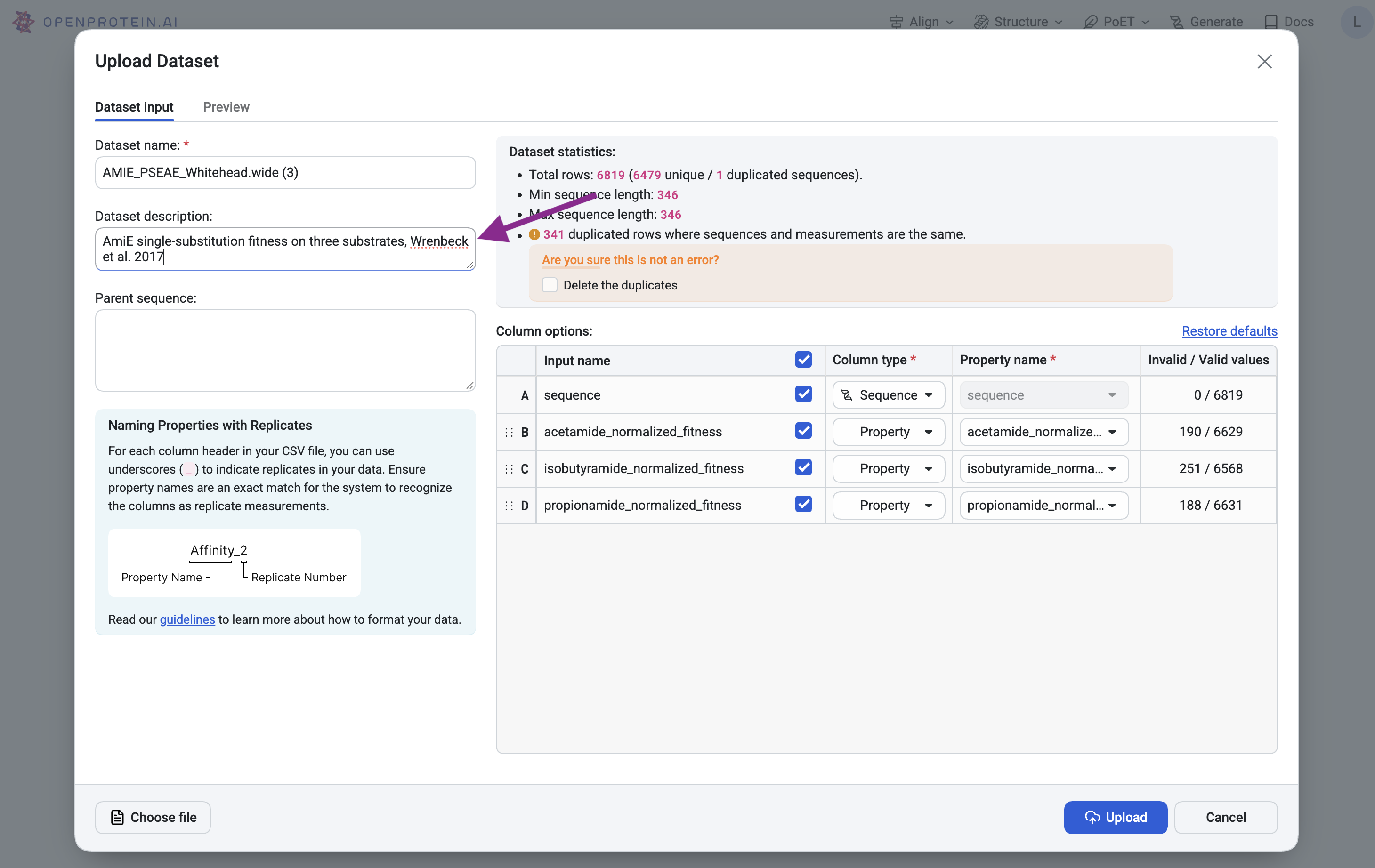
AmiE single-substitution fitness on three substrates, Wrenbeck et al. 2017as the Dataset description. - Leave Parent sequence empty. The file already holds full sequences, so no mutation codes need a parent.
Step 3: Review the duplicates
The Dataset statistics box flags 341 duplicated rows where sequences and measurements are the same. These are the 341 wild-type rows, each with a fitness of 0. Leave Delete the duplicates unchecked, so the row counts in this tutorial match the file.
Title
Selecting Delete the duplicates keeps one copy of each duplicated row.
Step 4: Check the column options
The Column options table lists each CSV column with its Column type, Property name, and Invalid / Valid values. The app sets the column type from the column name.
- Compare the table in the dialog with the one below. Correct any mismatch with the Column type dropdown.
- Keep the checkbox next to each column selected, so all four columns upload. Invalid values are empty cells, where a variant was not measured on that substrate. Missing values are acceptable, so the file uploads as it is. The file has no Identifier column, and it needs no Mutant column because the full sequences are already present. For files that list mutation codes instead of sequences, see How to upload an assay dataset.
Step 5: Preview and upload
Select the Preview tab.
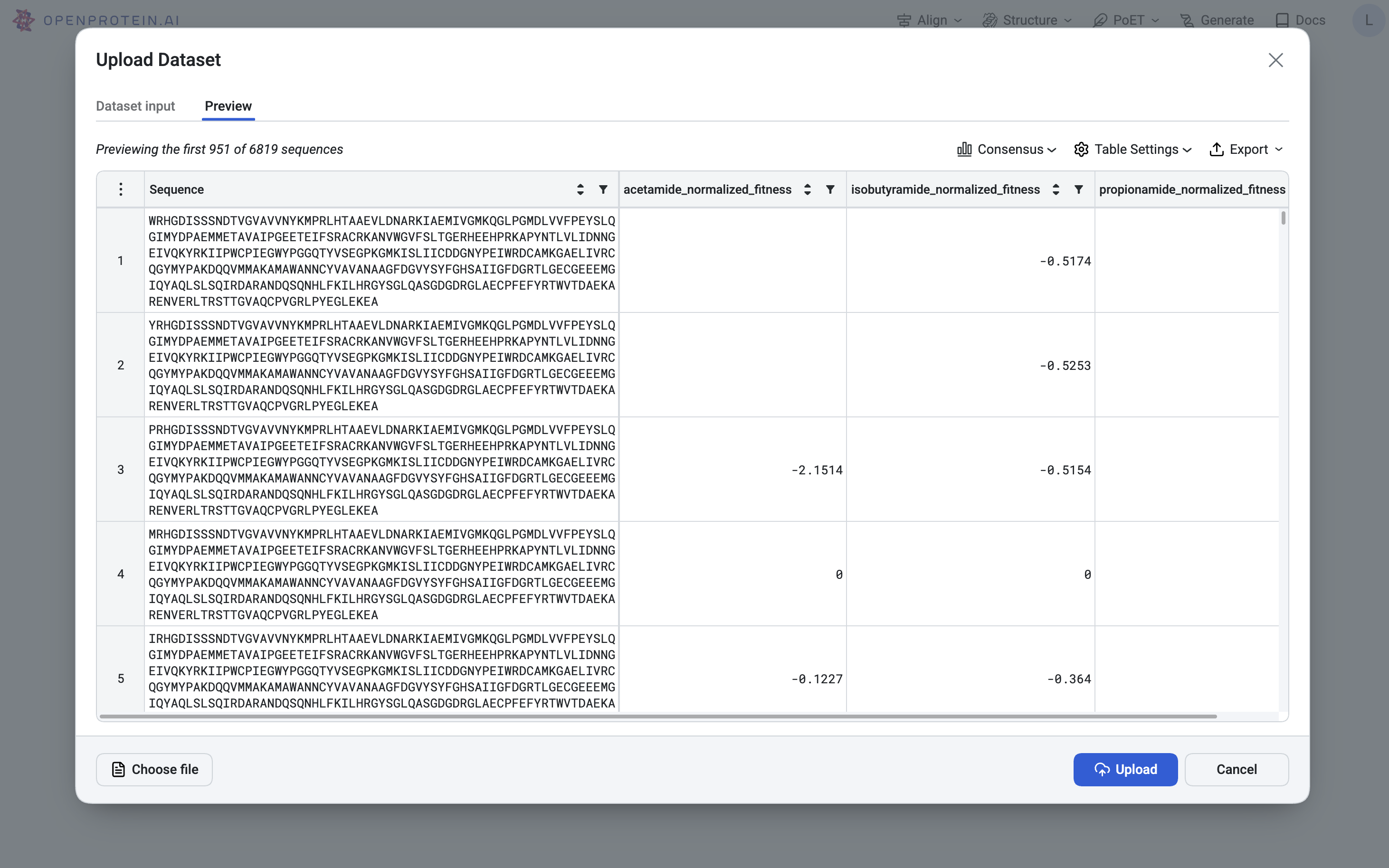
The table shows the first 1,000 of 6,819 sequences, with an empty cell wherever a measurement is missing.
Step 6: Explore the dataset
The first check below runs in both the app and Python. The reference sequence, joint plot, and UMAP views use the app.
Check valid and invalid values
Open Dataset Info.
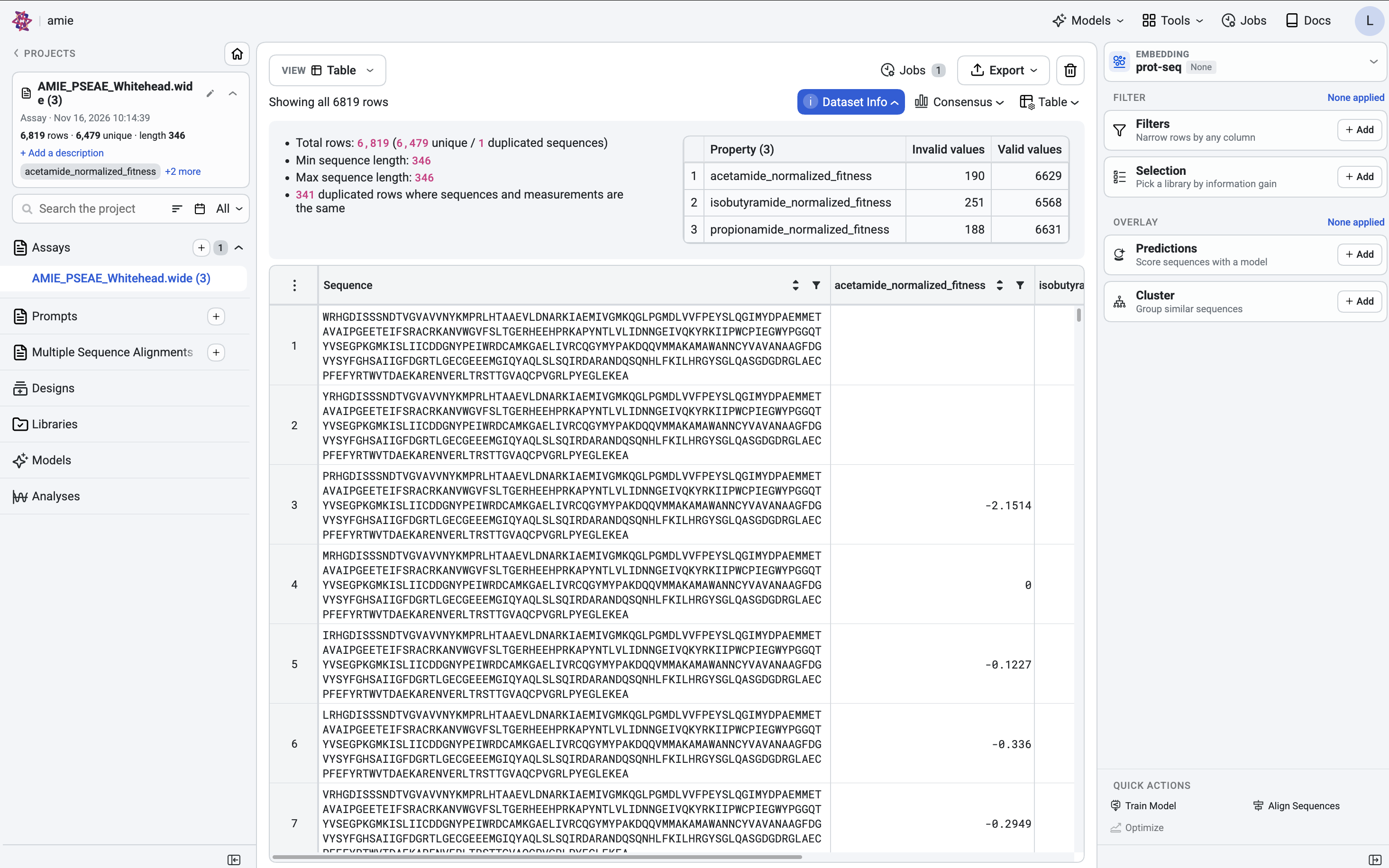
The panel repeats the dataset statistics and lists each property with its invalid and valid values. isobutyramide_normalized_fitness has 251 invalid values and 6,568 valid values, the same counts as in the upload dialog.
Set the wild type as the reference sequence
In the table, right-click row 4, a wild-type row. Its sequence starts with MRHGDISS and its fitness is 0 on all three substrates.
Select Set as reference sequence.
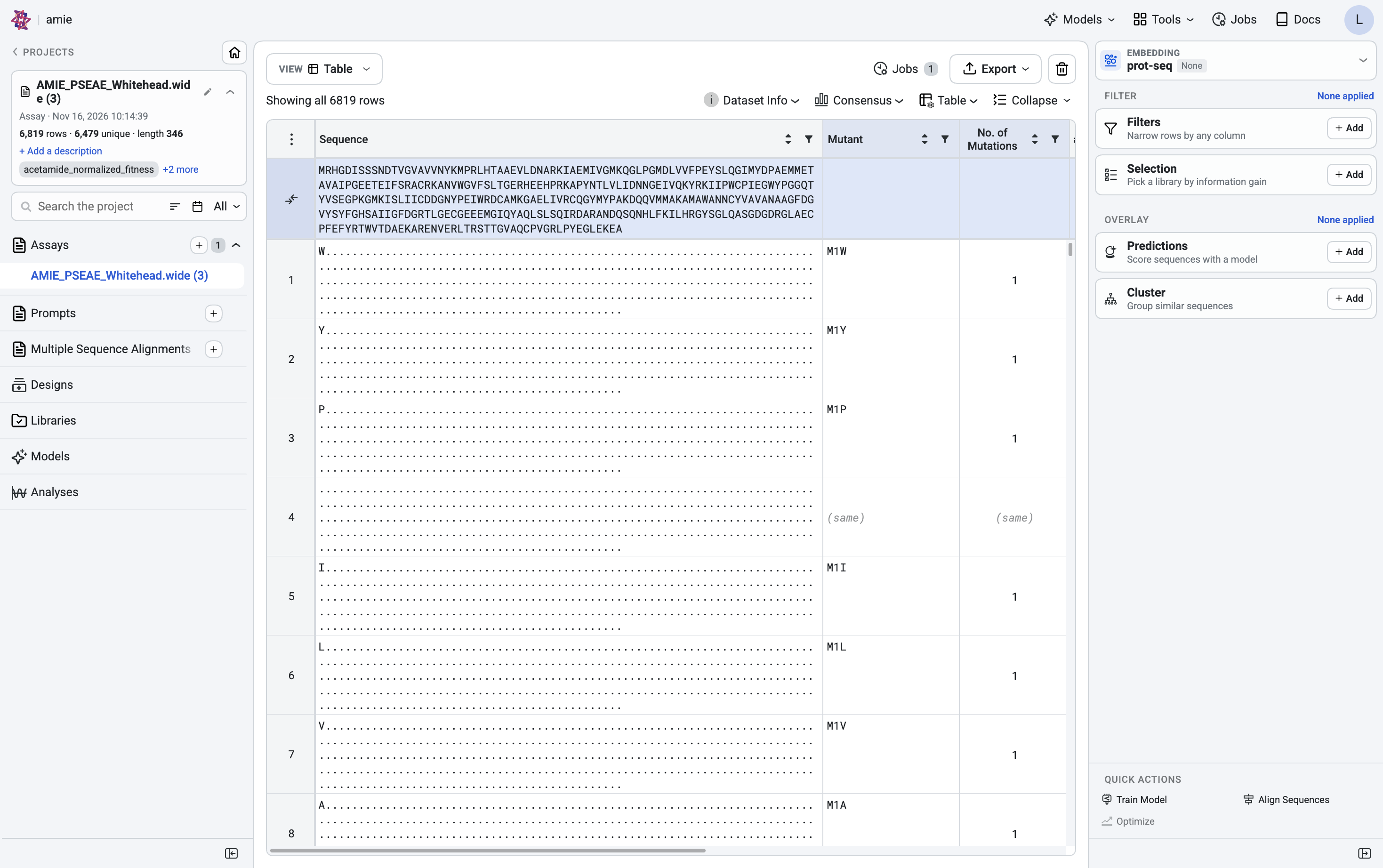
The wild-type sequence pins to the top of the table, and two columns appear. Mutant shows each variant's mutation code, such as M1W, and No. of Mutations shows 1 for every substitution.
Open Table Settings. Under Sequence View Options, select Mutations only to show only the residues that differ from the wild type, or Full sequence to show every residue.
To enter the reference by hand instead, open Table Settings, select Set Reference Sequence, and paste the wild-type sequence.
Compare properties
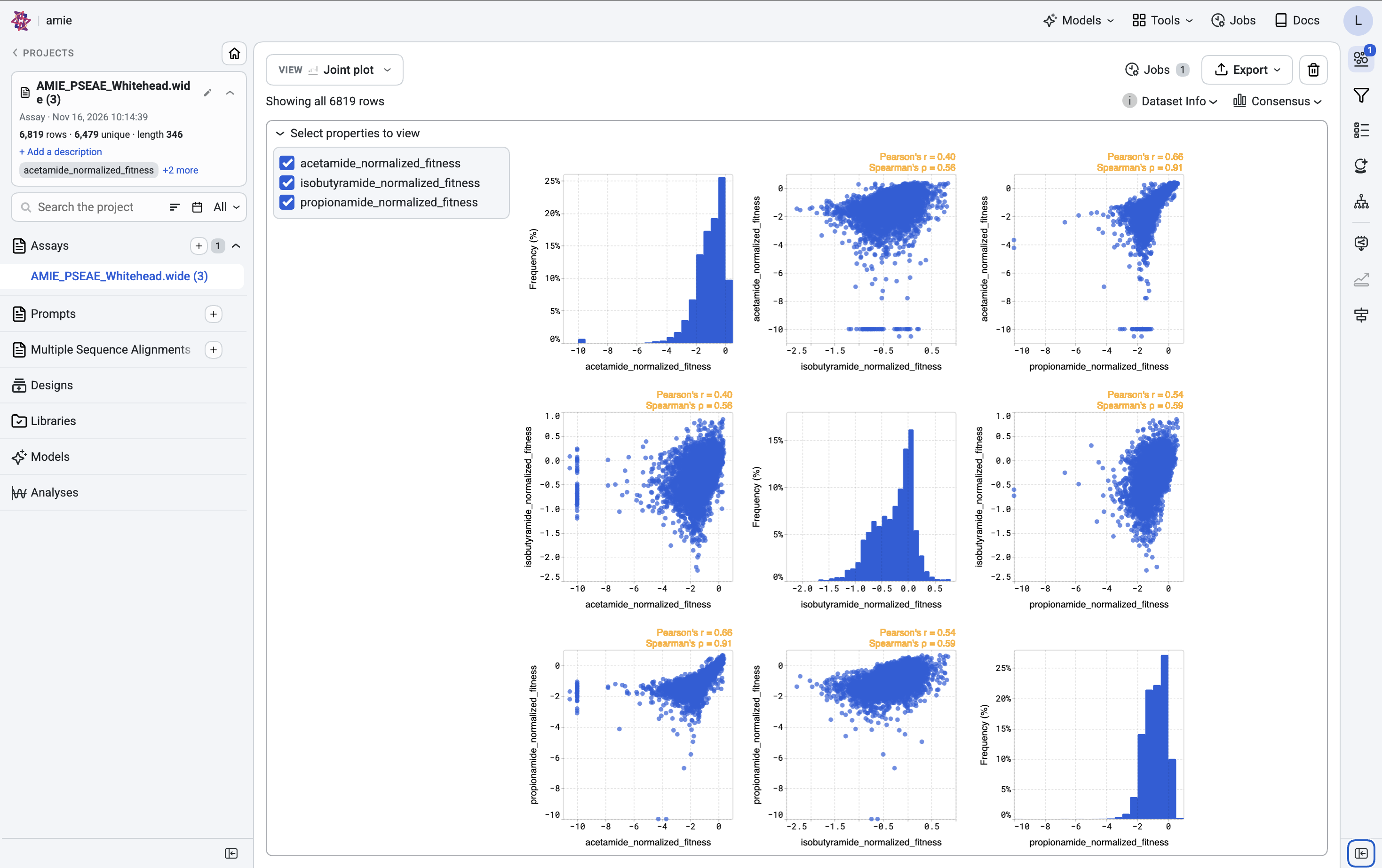
- Open the Joint plot.
- Select
acetamide_normalized_fitnessandpropionamide_normalized_fitness. The points trend along a diagonal: variants that grow well on acetamide tend to grow well on propionamide. - Select
isobutyramide_normalized_fitness. The points spread out more. Fitness on isobutyramide follows a different pattern from the other two substrates.
View sequence space using UMAP
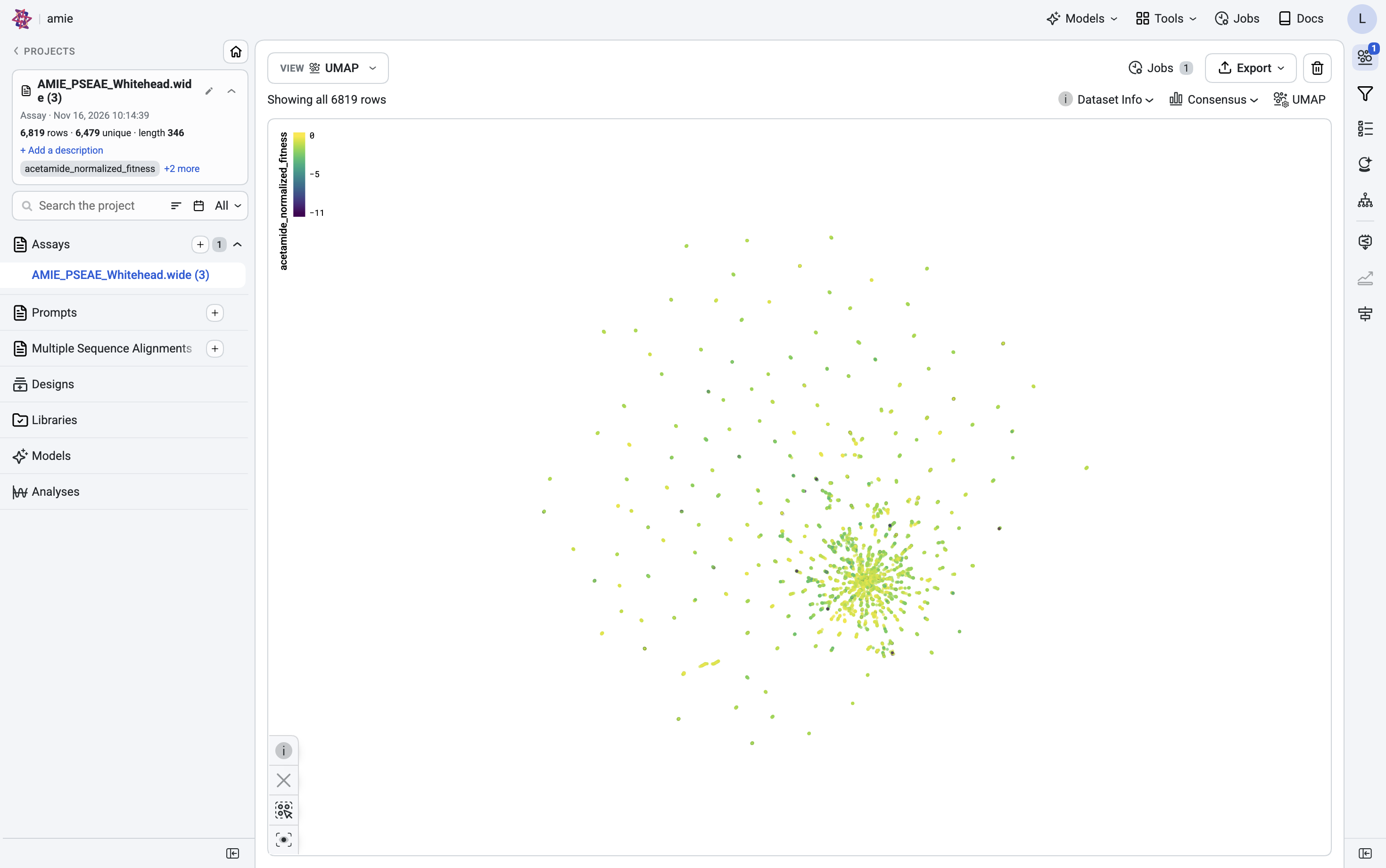
In the View menu, select UMAP.
Each point is one sequence variant in the dataset. The UMAP job starts during upload, so the view shows a waiting message until the job finishes. Switch between properties to change colors in the UMAP.
What we did
We uploaded a 6,819-variant assay dataset with three fitness properties, reviewed its duplicates and column options, and set the wild type as the reference sequence. Dataset Info, the mutation codes, and the plots confirmed that the data uploaded as expected.
Next steps
- Train a property predictor
- Reference: Table Settings
Reference
Wrenbeck, E. E., Azouz, L. R., and Whitehead, T. A. (2017). Single-mutation fitness landscapes for an enzyme on multiple substrates reveal specificity is globally encoded. Nature Communications, 8, 15695.