


Building a prompt context
Build an EstA prompt context for PoET-2 by searching for homologs, sampling three context replicates, and inspecting the selected examples.
A prompt is an input that directs a protein foundation model to produce the desired protein sequences. It is made up of two components, either of which can be included or omitted depending on your use case.
-
Context: Examples of sequences and/or structures from a protein family that guide the model toward that protein family through in-context learning.
-
Query: Specific constraints, such as sequence length, motifs, or active site residues, allowing precise control over the generated sequence.
In this tutorial, we will build a prompt context for PoET-2 by searching and sampling from homologs of a seed sequence. The seed sequence used is the 181-residue Lipase A (EstA) sequence from Bacillus subtilis.
Before starting, you need
A seed sequence to build the prompt context with. We will use:
>EstA
AEHNPVVMVHGIGGASFNFAGIKSYLVSQGWSRDKLYAVDFWDKTGTNYNNGPVLSRFVQKVLDETGAKKVDIVAHSMGGANTLYYIKNLDGGNKVANVVTLGGANRLTTGKALPGTDPNQKILYTSIYSSADMIVMNYLSRLDGARNVQIHGVGHIGLLYSSQVNSLIKEGLNGGGQNTN
We will build a sequence-only prompt. No structure file is needed.
Search for homologs of the seed sequence to build the context pool
We will run the homology search based on the seed sequence and build an MSA with the homologs. In the next step, we will sample sequences from the MSA to create context.
Create a new project and name it Prompt Building Tutorial.
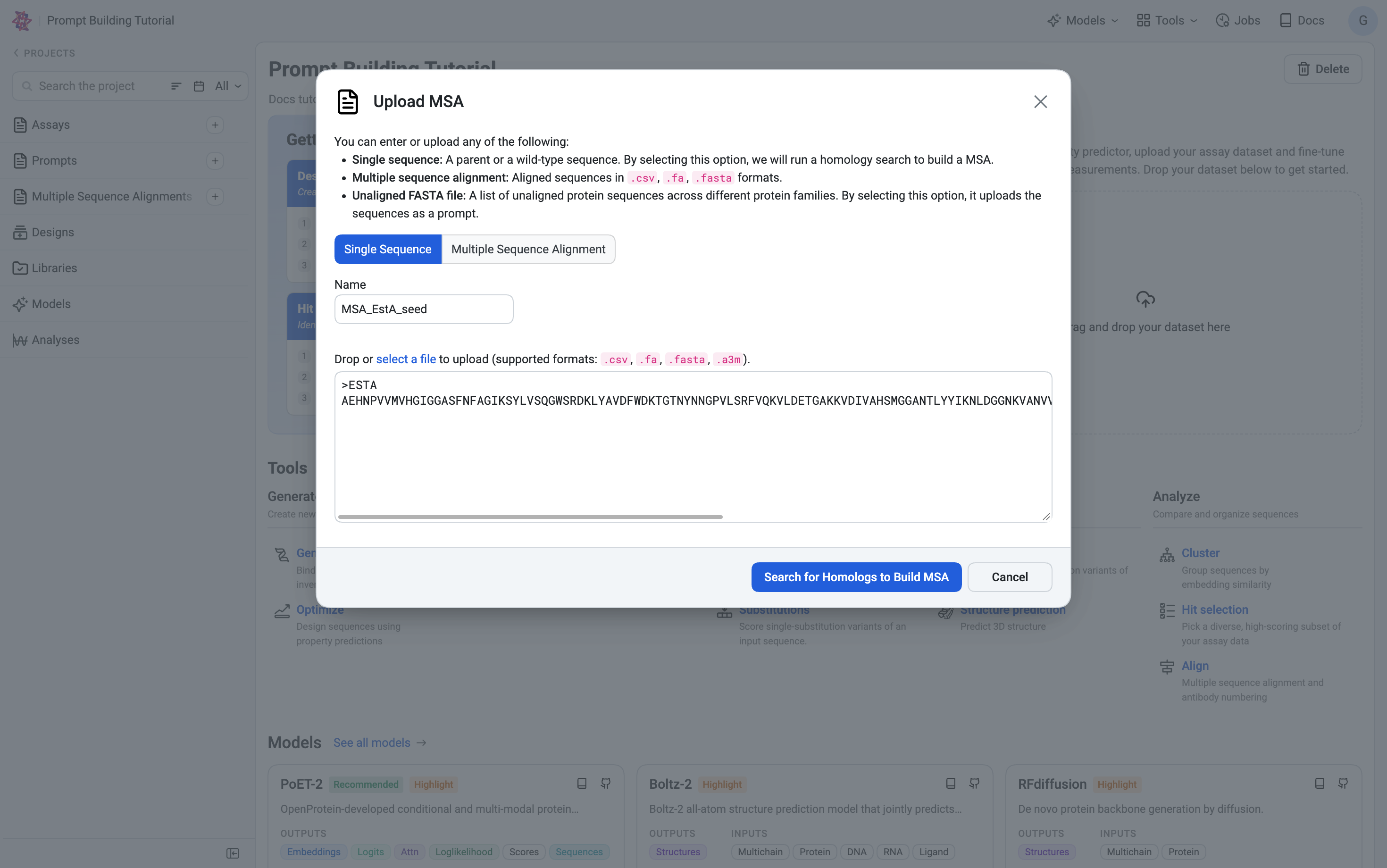
In the left sidebar, select the + (Upload an MSA) next to Multiple Sequence Alignments.
In the “Upload MSA” screen that opens, select the “Single Sequence” option. Name the MSA “MSA_EstA_seed”.
Copy the EstA seed sequence above and paste it into the "Enter sequences" box.
Click “Search for Homologs to Build MSA” at the bottom. This will navigate us to the prompt results page, where a table of homologs returned from the search will be displayed after the job has run. Stay on this page until the job is complete.
Sample the context and inspect the results
We will use the default prompt sampling settings and create a single ensemble prompt that consists of three independently sampled prompt replicates.
After the homolog search is complete, the resulting table of sequences will be displayed. Click on “Create Prompt” to define the parameters for sampling from the MSA to create the prompt context.
The prompt sampling settings panel will appear at the bottom of the screen. We will ensemble the context from three replicates while keeping the rest of the default settings. Set:
-
Job Name: Prompt_EstA_seed_3rep
-
Number of prompts to ensemble: 3
-
Sampling method: Neighbors (default)
-
Homology level: 0.8 (default)
-
Minimum similarity to seed: 0.0 (default)
-
Maximum similarity to seed: 1.0 (default)
-
Maximum total number of residues: 12288 (default)
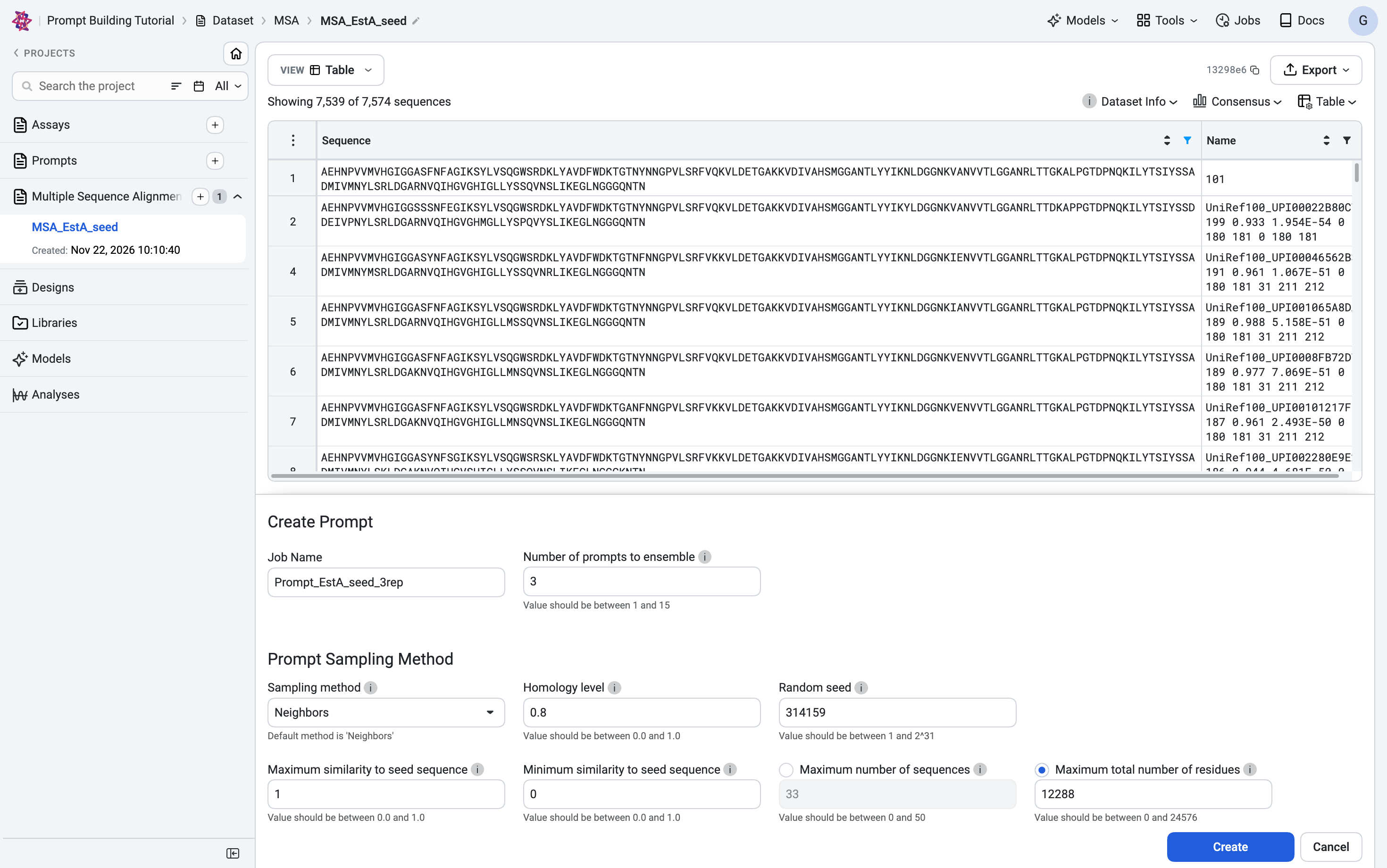
Click “Create” to proceed to building the prompt. Do not navigate away from the screen.
When complete, the results will be displayed in a table. Toggle between the different prompt numbers to examine the sequences sampled for each replicate in the ensemble. Click “Export” to save each table of sequences to a CSV file to inspect locally.
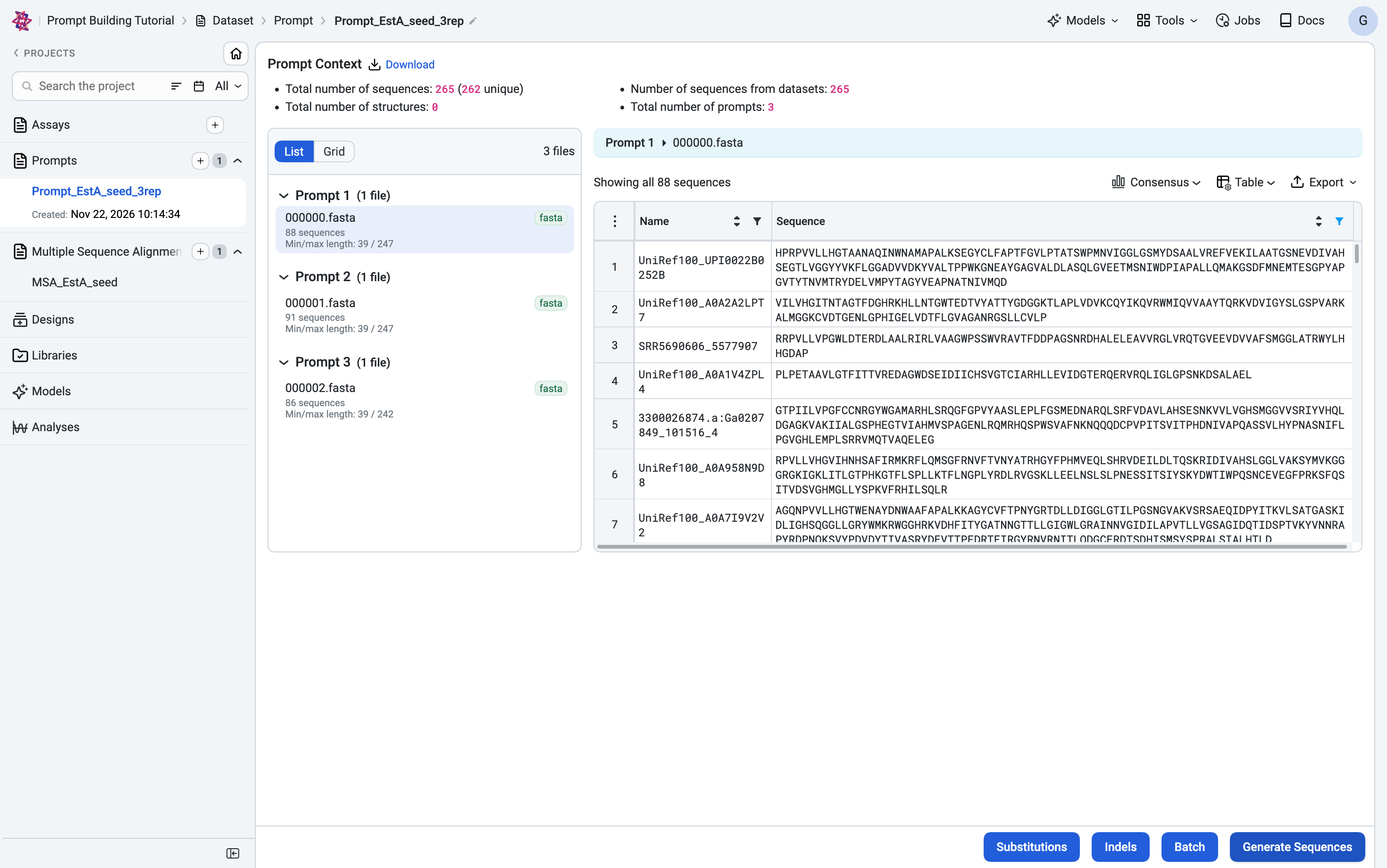
Congratulations! You have completed the tutorial for building a prompt context. The prompt you created is now available for downstream analysis tasks such as Substitution Analysis, Training Custom Models, and Sequence Generation.