


Create a multiple sequence alignment
In this tutorial you'll add a multiple sequence alignment (MSA) to an OpenProtein.AI project two ways: by uploading a ready-made alignment, then by building one from a single seed sequence with a homology search.
By the end you'll have an MSA saved in your project, ready to build a prompt. An MSA lines up related protein sequences so that shared positions sit in the same column; PoET learns those patterns and generates new sequences that fit the family.
Before starting
- An OpenProtein.AI project. If you don't have one, create it first by following the Quickstart guide.
- TEM-1 MSA file in .fasta format. This tutorial uses an MSA of TEM-1 beta-lactamase and its homologs.
- The wild-type seed sequence, ready to paste. This tutorial uses TEM-1:
MSIQHFRVALIPFFAAFCLPVFAHPETLVKVKDAEDQLGARVGYIELDLNSGKILESFRPEERFPMMSTFKVLLCGAVLSRVDAGQEQLGRRIHYSQNDLVEYSPVTEKHLTDGMTVRELCSAAITMSDNTAANLLLTTIGGPKELTAFLHNMGDHVTRLDRWEPELNEAIPNDERDTTMPAAMATTLRKLLTGELLTLASRQQLIDWMEADKVAGPLLRSALPAGWFIADKSGAGERGSRGIIAALGPDGKPSRIVVIYTTGSQATMDERNRQIAEIGASLIKHW
TEM-1 is a small, well-studied beta-lactamase and the reference member of a large protein family, which makes it a clear worked example.
Setup
Work in the OpenProtein.AI web app. No setup is needed beyond your project.
Upload an MSA
- Open your project.
- Start the upload from either place:
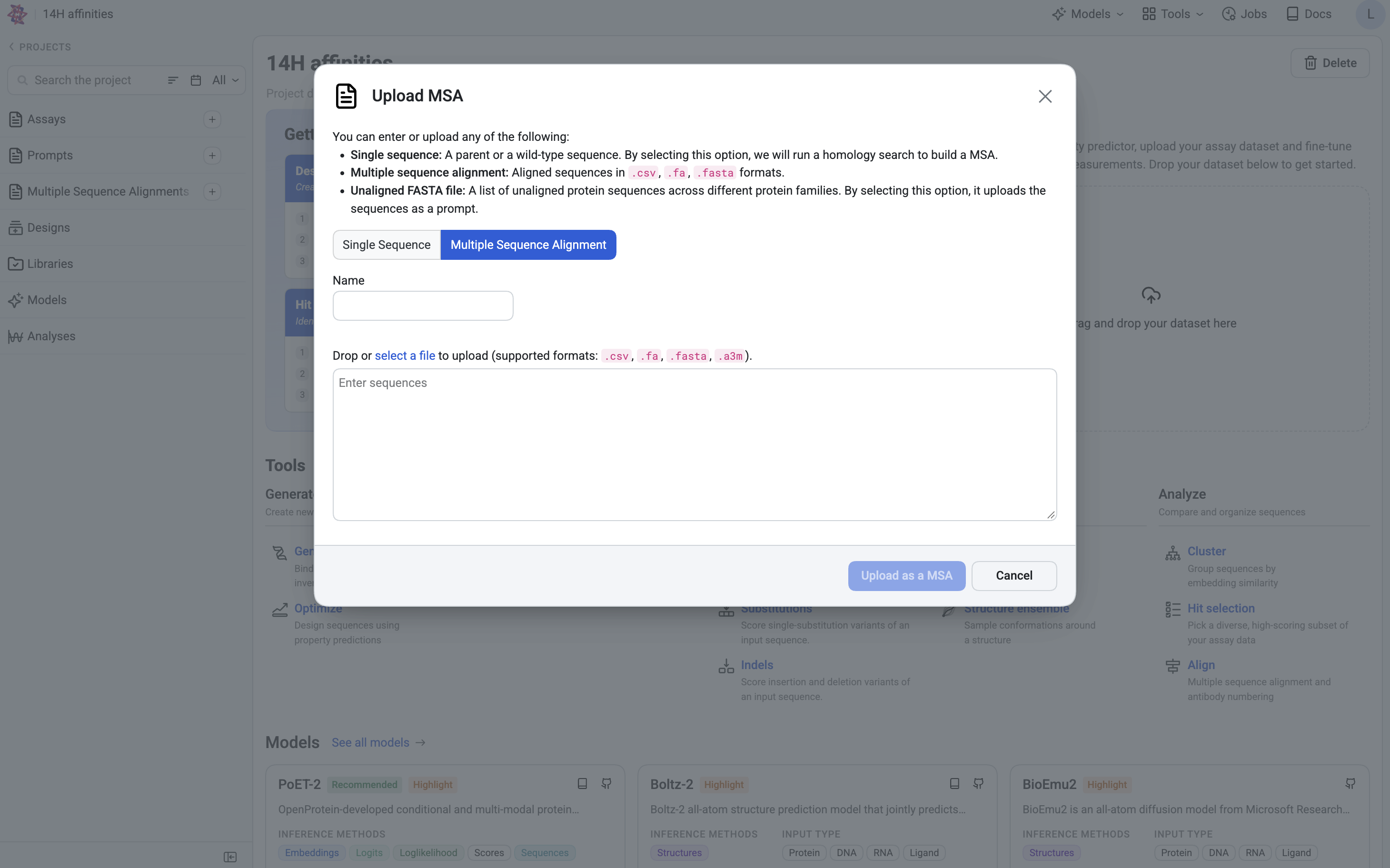
- On the project page, click Upload, then select MSA.
- In the left sidebar, click Upload under MSA.
- Enter the alignment directly, or choose your .fa, .fasta, or .csv file.
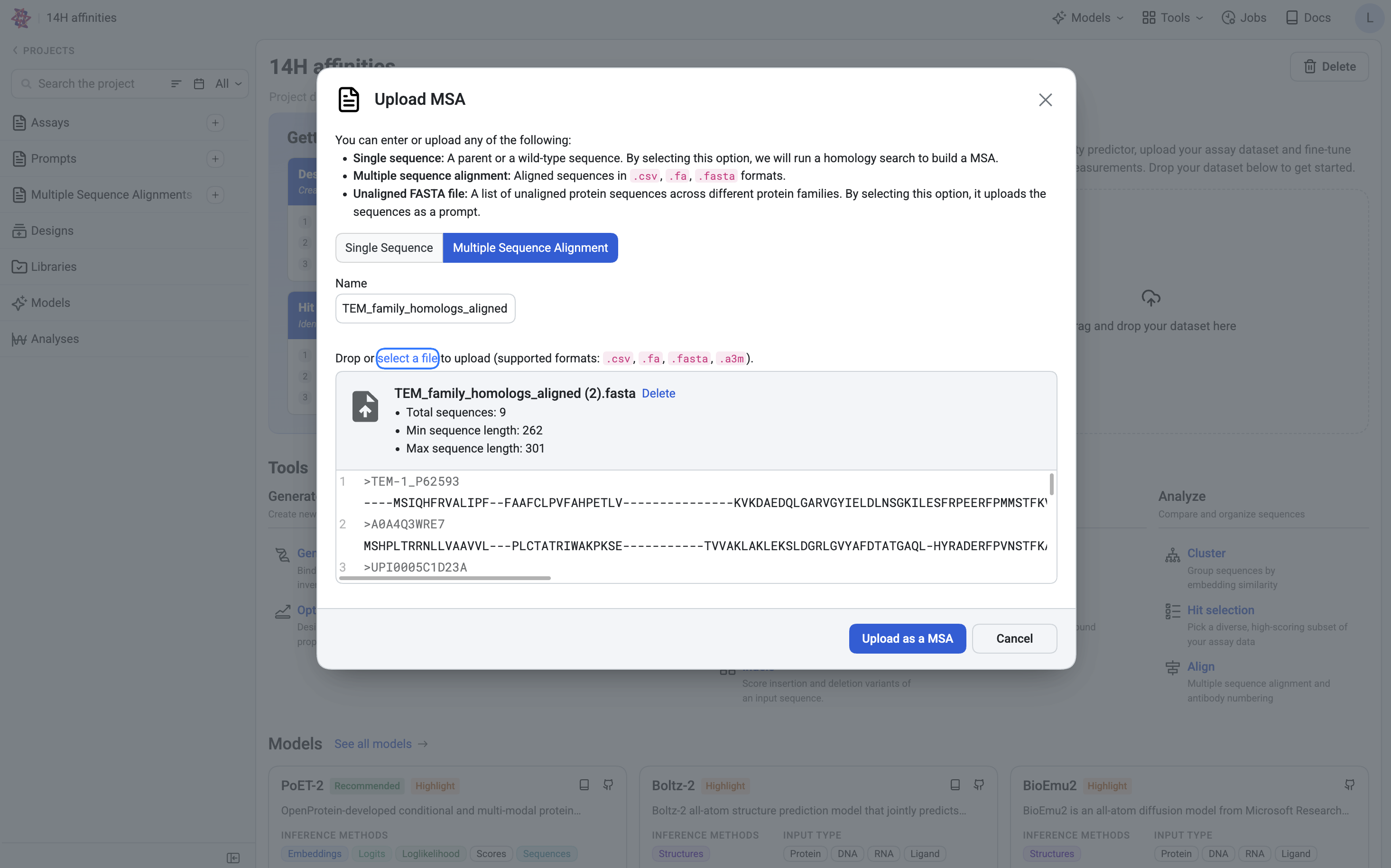
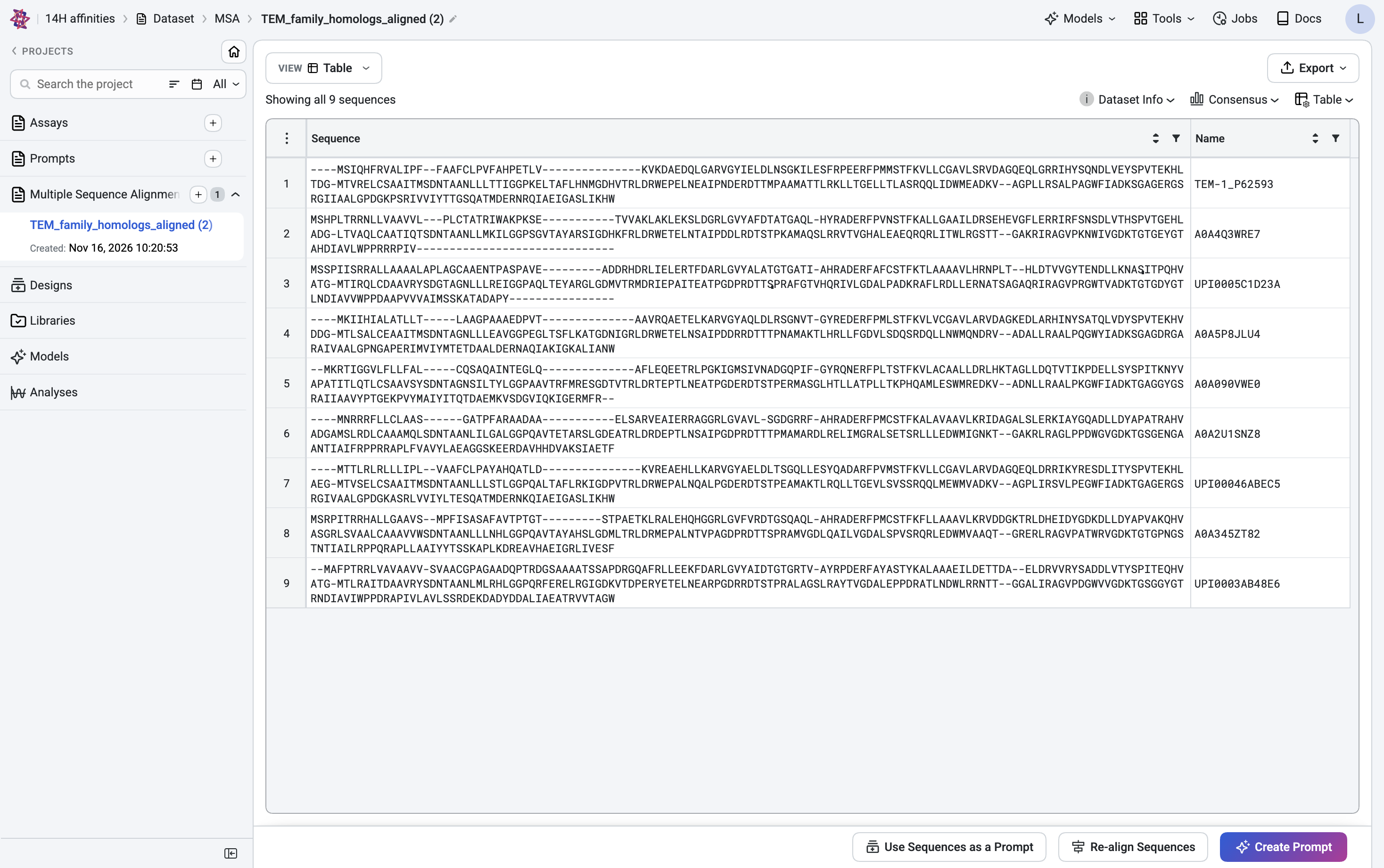
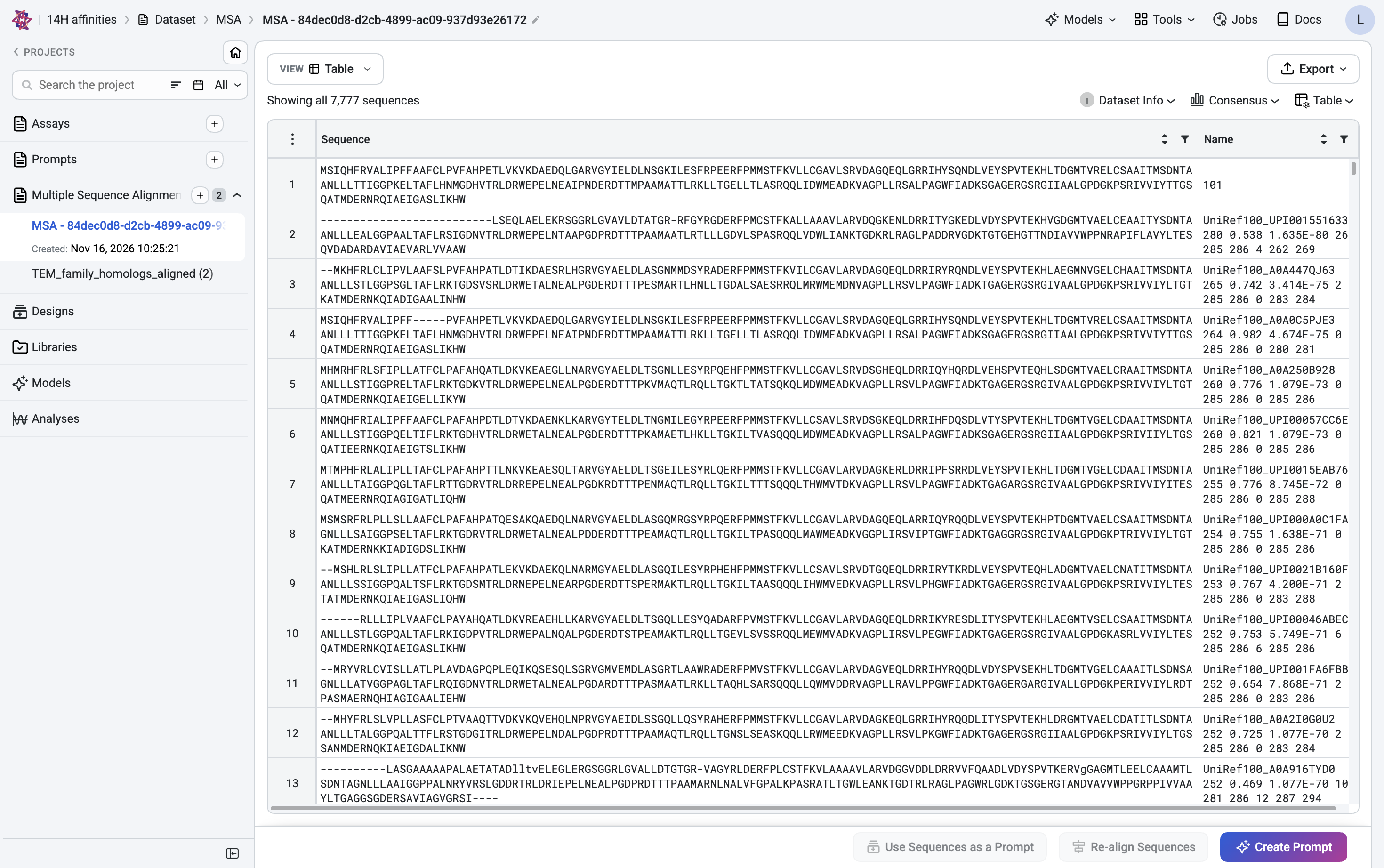
When the upload finishes, the MSA opens in a preview table: one row per sequence, one column per aligned position. Your MSA is now saved in the project and ready to use.
Build an MSA from a seed sequence
If you don't have an alignment yet, build one from a single sequence. A homology search takes one seed sequence, finds related sequences in public databases such as UniProt, and aligns them for you.
- Open your project.
- Start from either place:
- On the project page, click Upload, then select MSA.
- In the left sidebar, click Upload under MSA.
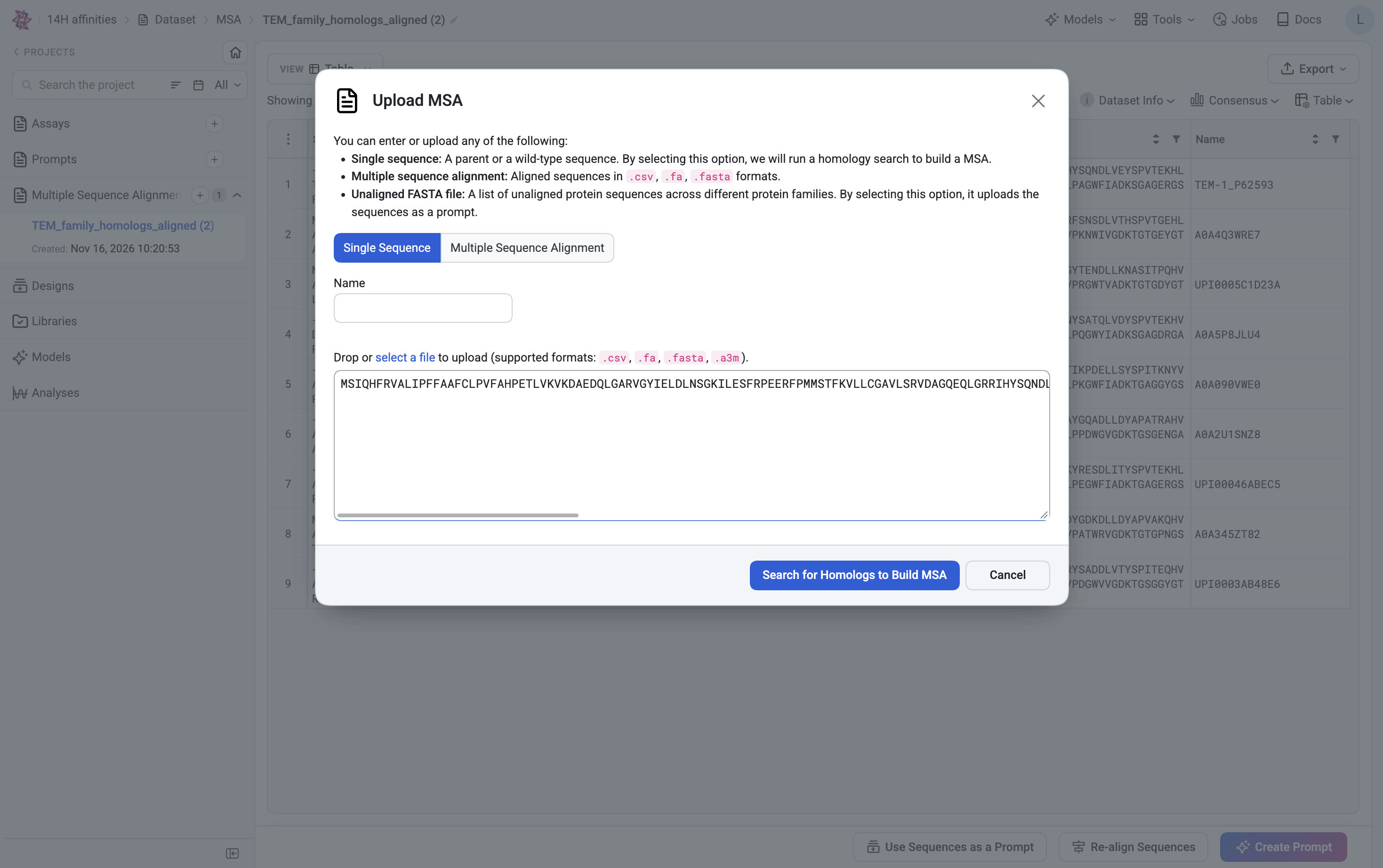
- Enter a single sequence as the seed. Use the TEM-1 sequence from What you'll need.
- Click Search for homologs to build MSA.
- Wait for the search to finish.
The finished MSA appears in your project, for example under Use Existing MSA when you build a prompt.
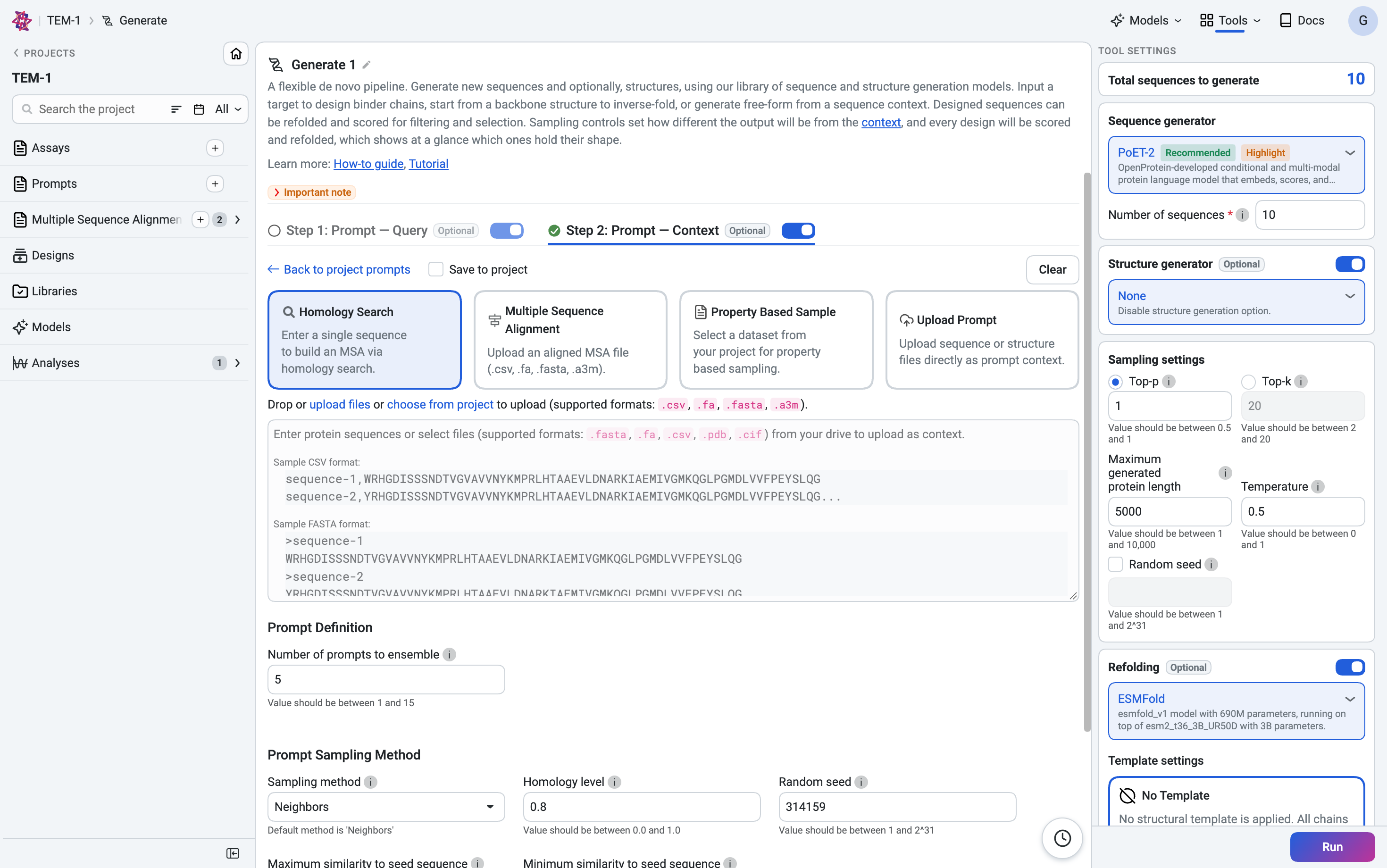
You can also run the search while building a prompt: open the prompt Context, choose Build From MSA, then Run Homology Search Using a Seed Sequence. If you enter several sequences, only the first is used.
What we did
We learned how to create a multiple sequence alignment on the platform. It can be done by uploading an existing MSA or creating a new one using homology search with a seed sequence.