


Use a trained custom model to predict a property for multiple sequences with Batch Analysis
Use a trained property predictor to estimate antigen binding and prediction uncertainty for five paired Fab antibody sequences.
In this tutorial, we will use a trained custom model to predict antigen binding for a batch of antibody sequences. We will prepare paired heavy- and light-chain inputs, select the predictor, compare predicted values and uncertainties, and export the results.
We will continue from Train a specialized property predictor using your data, using the “ANT Binding Predictor - PoET-2” model trained on the Makowski 2022 Fab dataset. This model predicts normalized binding to HGFR, the target antigen of emibetuzumab.
Unlike zero-shot scoring, these predictions use a model trained on experimental measurements uploaded by the user. The predictor maps foundation model embeddings to the property measured in the training assay.
Before starting
-
Complete Train a specialized property predictor using your data and have the trained ANT Binding Predictor - PoET-2 model available.
-
Have the Makowski Fab dataset CSV used in that tutorial. We will submit the first five sequences from this dataset for property prediction by the trained predictor.
Prepare the antibody sequences
The training dataset contains separate heavy and light columns representing VH and VL in the Fab antibody. We will preserve the pairing between them and keep the heavy chain first, matching the model’s training configuration. Represent each pair as:
VH_SEQUENCE:VL_SEQUENCEThe colon separates the chains. Do not submit the heavy and light chains as independent examples. Note that if the predictor was trained on single-domain sequences and we want to perform batch analysis on similar single-domain sequences, then each sequence can be represented as a simple string of amino acids, without requiring the colon chain separator.
Copy the following into a file named makowski_fab_batch.fasta. These are the first five sequences from the Makowsky 2022 Fab dataset:
>Fab_0
QVQLVQSGAEVKKPGASVKVSCKASGYTFTDYYMHWVRQAPGQGLEWMGRVNPNAEATTYNQKFEGRVTMTTDTSTSTAYMELRSLRSDDTAVYYCARSNGLDAWGQGTTVTVSS:DIQMTQSPSSLSASVGDRVTITCSVSSSVSSIYLHWYQQKPGKAPKLLIYSTSNLASGVPSRFSGSGSGTDFTLTISSLQPEDFATYYCQVYSGYPLTFGGGTKVEIK
>Fab_1
QVQLVQSGAEVKKPGASVKVSCKASGYTFTDYYMHWVRQAPGQGLEWMGRVNPNAKGTTYNQKFEGRVTMTTDTSTSTAYMELRSLRSDDTAVYYCARSNGLDAWGQGTTVTVSS:DIQMTQSPSSLSASVGDRVTITCSVSSSVSSIYLHWYQQKPGKAPKLLIYSTSNLASGVPSRFSGSGSGTDFTLTISSLQPEDFATYYCQVYSGYPLTFGGGTKVEIK
>Fab_2
QVQLVQSGAEVKKPGASVKVSCKASGYTFTDYYMHWVRQAPGQGLEWMGRVNPNAGSTTYNQKFEGRVTMTTDTSTSTAYMELRSLRSDDTAVYYCARSNSLDDWGQGTTVTVSS:DIQMTQSPSSLSASVGDRVTITCSVSSSVSSIYLHWYQQKPGKAPKLLIYSTSNLASGVPSRFSGSGSGTDFTLTISSLQPEDFATYYCQVYSGYPLTFGGGTKVEIK
>Fab_3
QVQLVQSGAEVKKPGASVKVSCKASGYTFTDYYMHWVRQAPGQGLEWMGRVNPNRGDTTYNQKFEGRVTMTTDTSTSTAYMELRSLRSDDTAVYYCARSNGLDDWGQGTTVTVSS:DIQMTQSPSSLSASVGDRVTITCSVSSSVSSIYLHWYQQKPGKAPKLLIYSTSNLASGVPSRFSGSGSGTDFTLTISSLQPEDFATYYCQVYSGYPLTFGGGTKVEIK
>Fab_4
QVQLVQSGAEVKKPGASVKVSCKASGYTFTDYSMHWVRQAPGQGLEWMGKVNPNKGGTTYNQKFEGRVTMTTDTSTSTAYMELRSLRSDDTAVYYCARANWLDVWGQGTTVTVSS:DIQMTQSPSSLSASVGDRVTITCSVSSSVSSIYLHWYQQKPGKAPKLLIYSTSNLASGVPSRFSGSGSGTDFTLTISSLQPEDFATYYCQVYSGYPLTFGGGTKVEIKOpen the project containing Makowski 2022, Fab and its trained model.
In the Tools section on the project landing page, select Tools > Batch (under the Predict column).
At the top of the page, click the pencil in the name bar to name your job Fab_variant_scoring, so that you can find it easily later.
From the dropdown above the input box, select PoET-2 as the scoring model.
Click “Upload a file” and select makowski_fab_batch.fasta under Step 1: Input Sequences.
Confirm that all five sequences are present. Click Next.
Select the trained predictor
We will use ANT Binding Predictor - PoET-2, the model trained to predict antigen binding in the preceding tutorial.
The trained predictor retains its embedding configuration, including the associated prompt and dimensionality reduction.
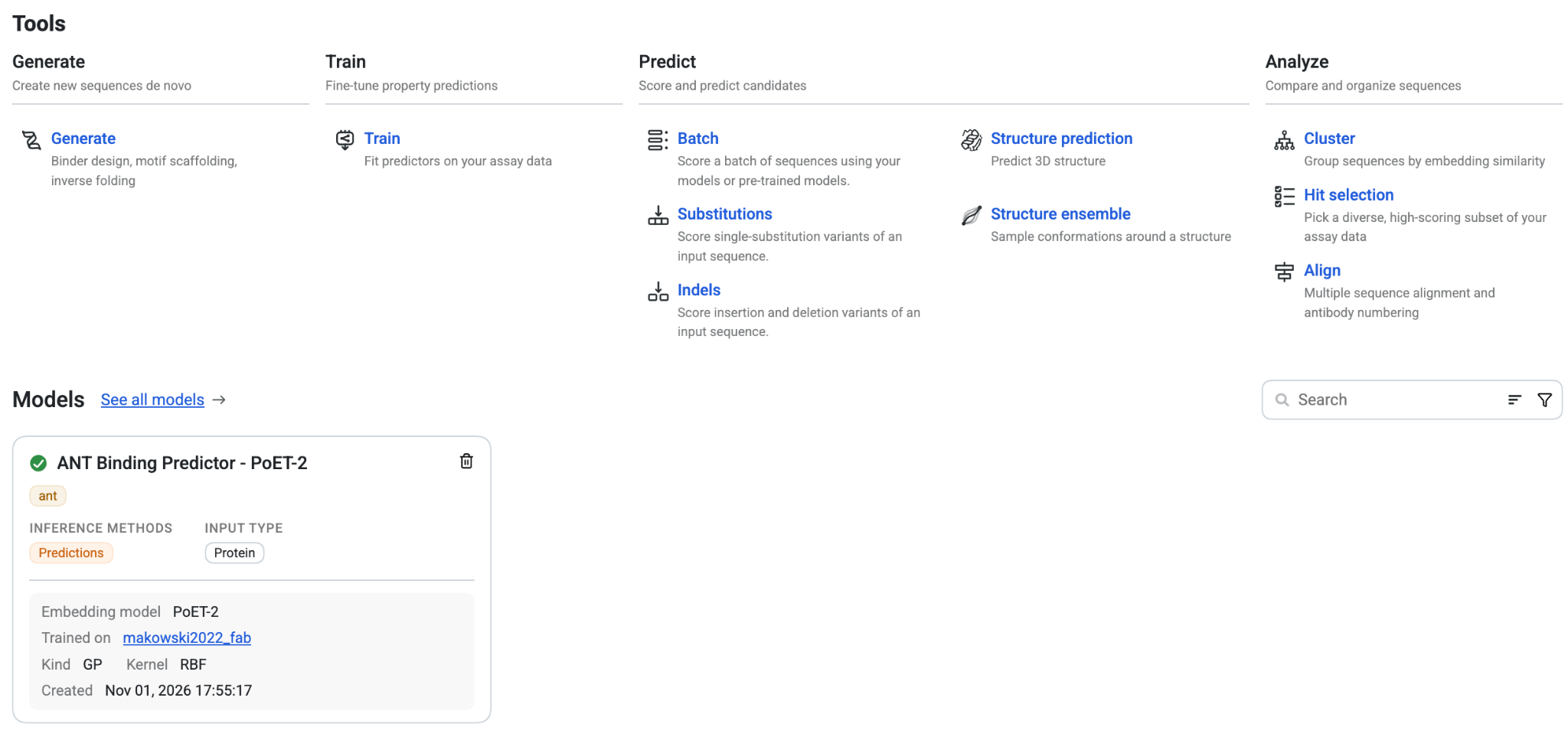
From the project landing page, go to the “Models” section at the bottom and click on “ANT Binding Predictor - PoET-2”
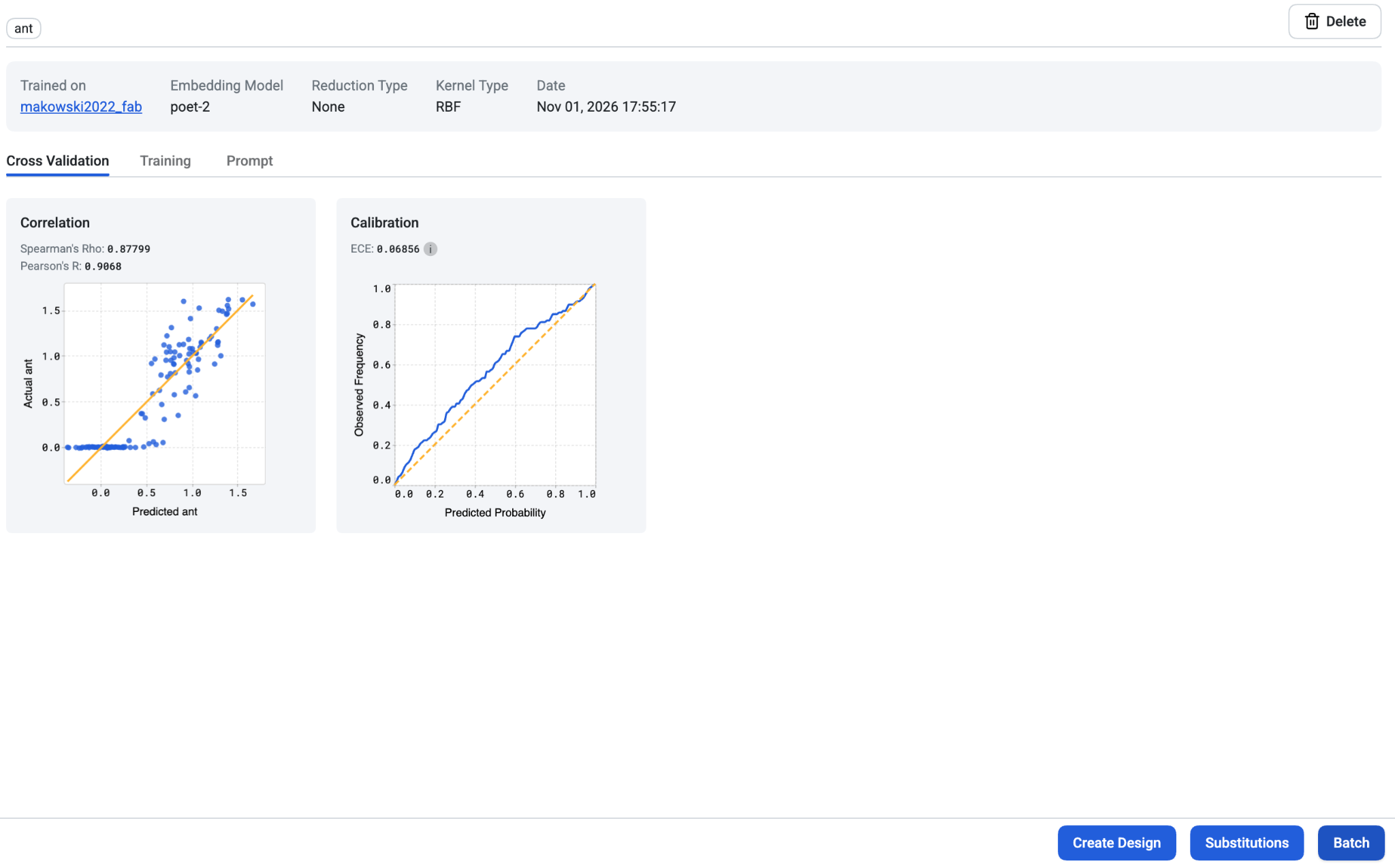
This will take us to the Model page displaying the cross-validation results. Click the “Batch” button at the bottom right to use this model to predict the ANT binding affinity of our sequences.
Run Batch Analysis
We will submit all five antibody pairs together. The predictor will return a property estimate and uncertainty for each pair.
On the Batch Analysis setup page, under Step 1: Input Sequences, click select a file to upload makowski_fab_batch.fasta.
At the top of the page, click the pencil in the name bar to name your job ANT Binding Prediction - PoET-2, so that you can find it easily later.
Click Run.
Inspect the predictions
We will examine:
-
Predicted mean: The model’s estimate of normalized antigen binding.
-
Predicted standard deviation: The uncertainty associated with that estimate.
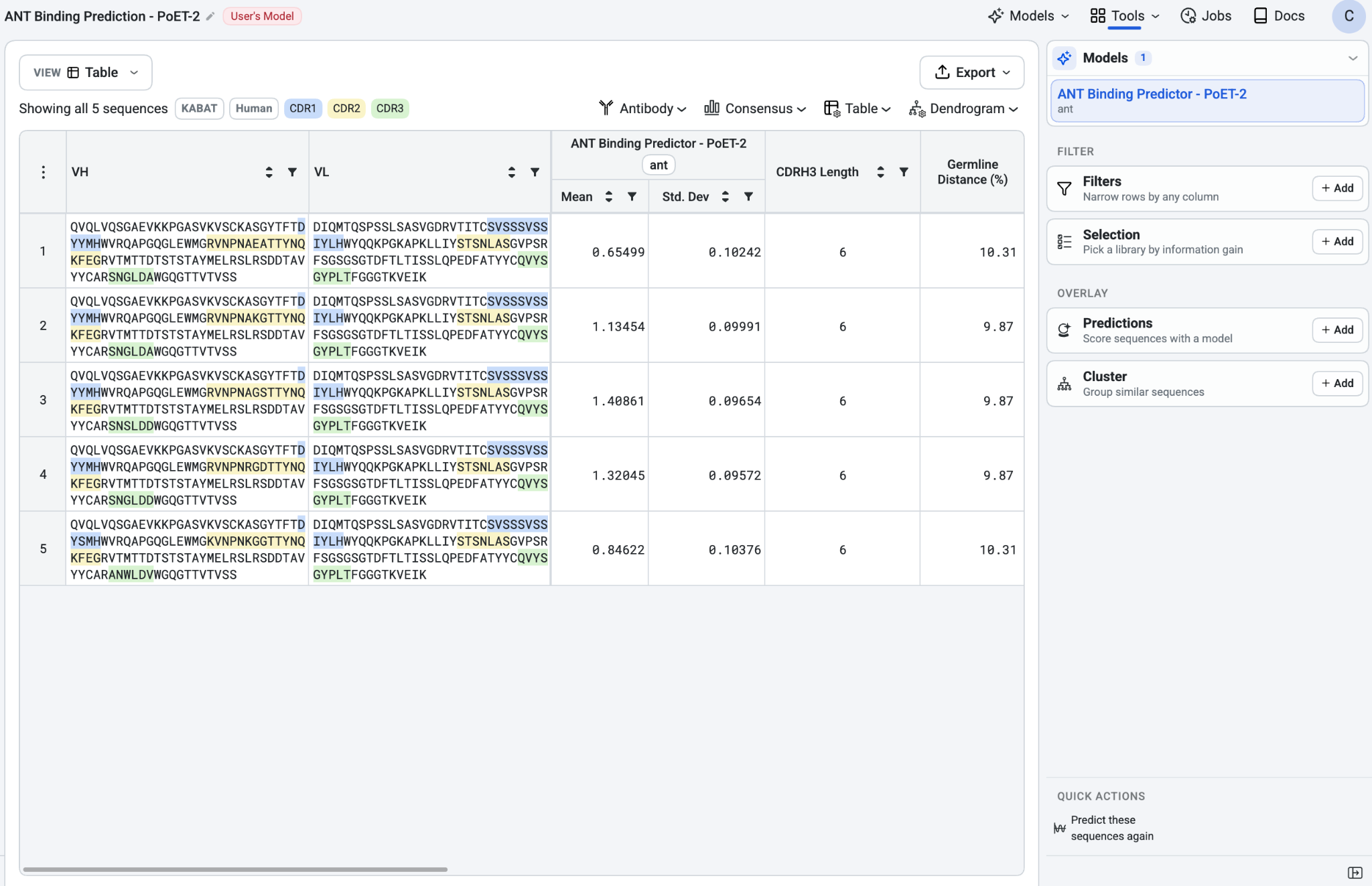
When the prediction job is complete, the completed results table will be displayed with predicted columns for Mean and Standard Deviation.
Sort the Mean column from highest to lowest. Do this either by clicking the down arrow button in the “Mean” column header, or from the right panel by clicking the “+” button in the “Filters” section, and selecting to sort by log-likelihood score.
Refer to interpreting the results table for the full options for table operations and display controls.
Export the results
We will retain the paired sequences, predicted values, and uncertainties together.
Select Export as CSV to download the results table.
We now have antigen-binding predictions and uncertainties for five paired antibody sequences. The same workflow can be applied to newly designed Fab variants using the trained predictor.
To evaluate single substitutions, continue to Substitution Analysis. To propose a new library using the predictor, continue to Design a library with Bayesian Optimization.