


Design sequences for a backbone structure with Inverse Folding
Use ProteinMPNN to design sequences for a ubiquitin backbone, from loading and masking the structure to inspecting and saving designs.
In this tutorial, we will use ProteinMPNN on OpenProtein.AI to generate sequences for an existing protein backbone. We will load a structure, mask its sequence, generate sequences compatible with the backbone, and inspect the results.
We will use ubiquitin, PDB entry 1UBQ. This is a small, single-chain protein with 76 modeled residues. View the structure on RCSB PDB.
Before starting, you need:
-
SDK version 0.18 or later for the Python examples.
Load the protein structure
We will start by loading chain A of 1UBQ. Keeping the original protein lets us compare the generated sequences with the reference later.
In the top navigation bar, select Tools > De novo design.
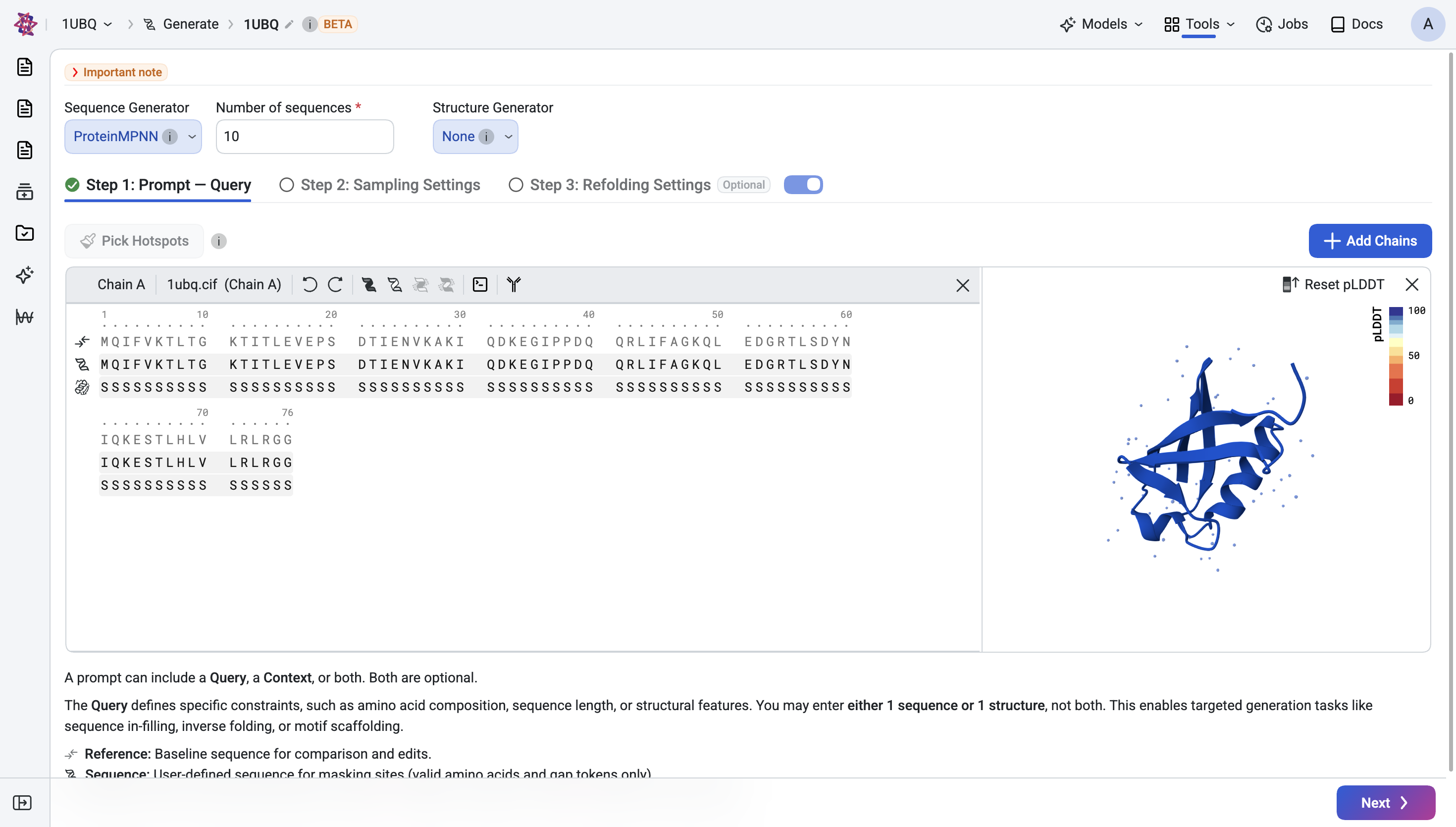
If you have the PDB file saved locally, click the “upload files” button above the input box, and upload 1UBQ.cif into the query.
Refer to the tutorial for how to create a query for uploading and editing a structure query.
Mask the sequence and preserve the backbone
We will redesign all 76 positions. The sequence mask tells ProteinMPNN where to generate amino acids; the retained backbone supplies the structural constraints.
Use Mask Sequence to replace the query sequence with X at every position.
Confirm that all 76 sequence positions are masked.
Keep the structure track unmasked. Do not mask or delete the backbone. The structure track is in the third row of the sequence displayed, and unmasked residues are annotated with S.
Confirm that the structure remains visible.
At this point, the query should contain an unknown sequence and a known structure. The query editor documentation describes the masking controls.
Generate sequences with ProteinMPNN
We will use a temperature of 0.1, the ProteinMPNN default, and request 10 samples. We will also set the random seed to 42 for reproducibility.
From the Sequence Generator dropdown on the top left of the page, select the ProteinMPNN model.
Use the uploaded backbone as the structural input.
Fill in the Number of sequences to generate. Here, we will use the default of 10.
Click Next to go to Step 2: Sampling Settings.
Edit the Backbone noise (Å) and Temperature fields to your desired settings. The backbone noise controls the standard deviation of Gaussian noise added to the backbone atoms. Temperature controls the randomness in amino acid selection at each step. Here, we will use the default parameters: set the Backbone noise to 0 and Temperature to 0.1.
Click Next to go to Step 3: Refolding Settings.
From the Structure prediction model dropdown, select the ESMFold2 model – we will use this to refold the ProteinMPNN-generated amino acid sequence into a structure. Do not use the input query structure as a template.
Click Run.
Inspect the generated sequences
We will inspect the sequences generated to check that the results are complete.
Open the generated sequence results.
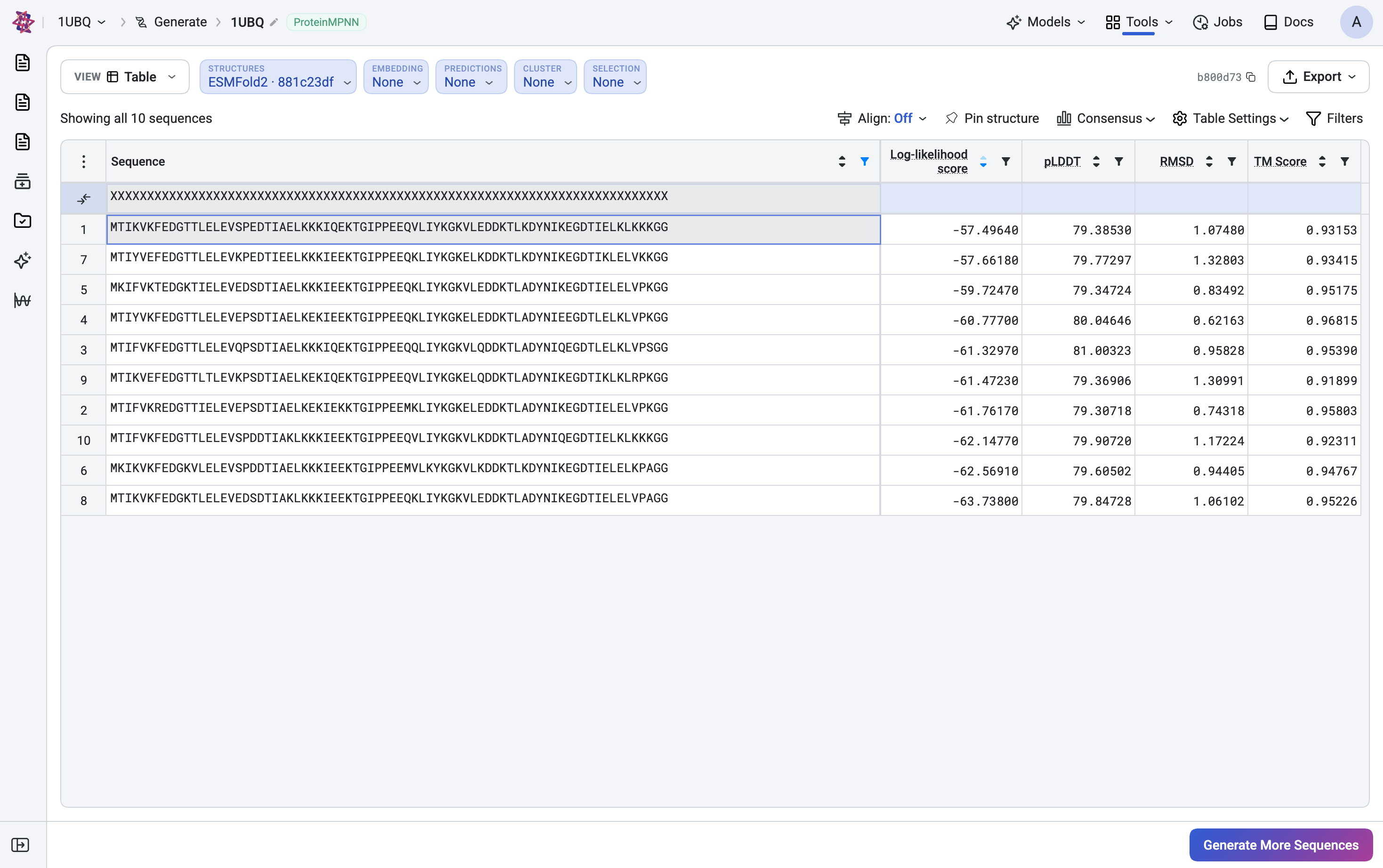
Inspect the sequences generated. The Log-likelihood score predicts how likely the sequence is relative to the original masked sequence. The higher the score, the more likely the model thinks it is.
The pLDDT, RMSD and TM Score are the predicted cofolding confidence metrics, obtained by comparing the structure predicted from the generated sequence to the input PDB. Click on the Align dropdown at the top of the table to select whether to align the generated sequences to the reference by structure, sequence, or to turn Alignment off.
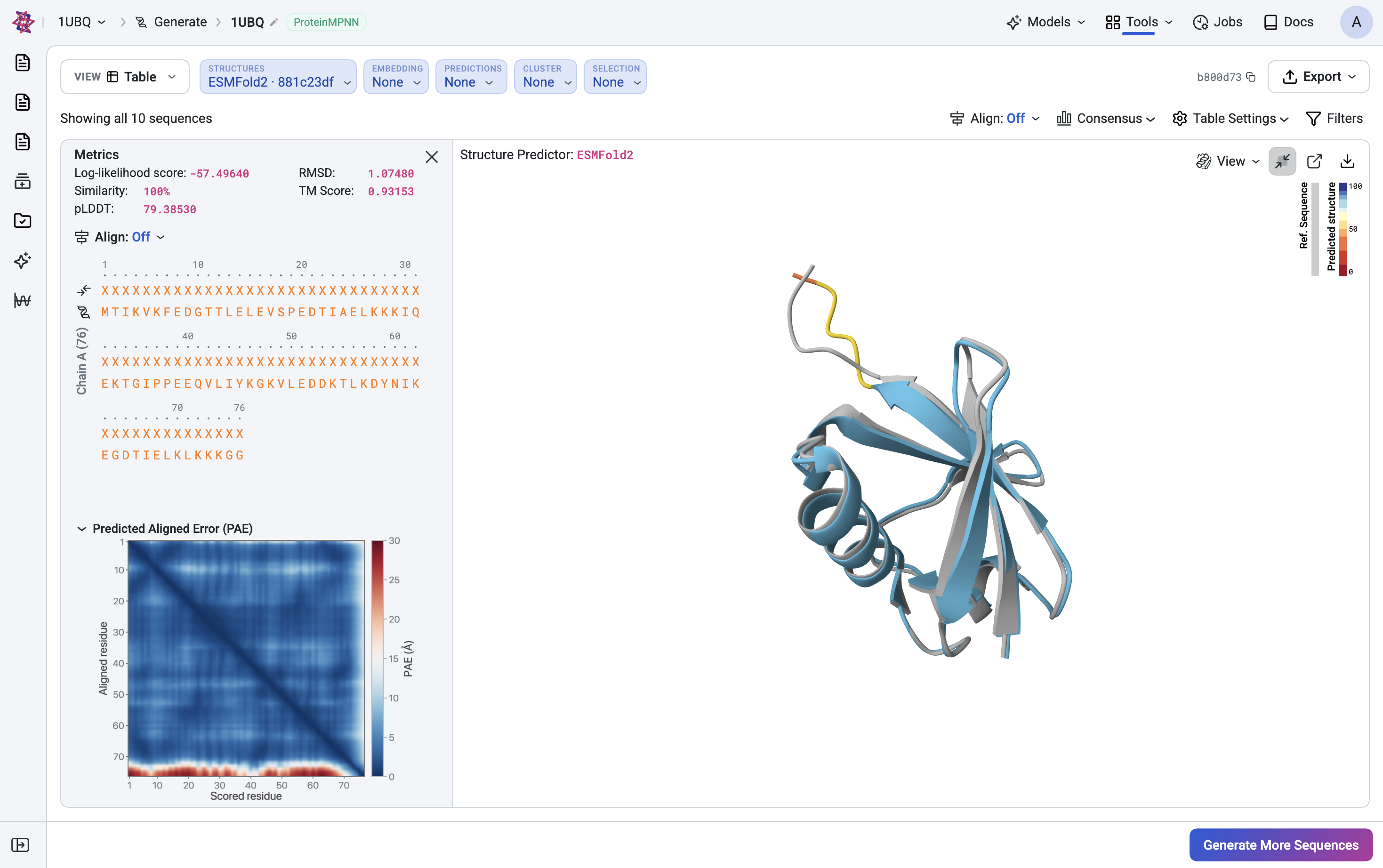
To toggle the mini structure viewer on, hover over the right side of the table. Then mouse over each sequence row to view its corresponding co-folded structure overlaid with the input query structure.
To inspect each sequence more closely, click on the sequence row to navigate to the full-page interactive structure view.
Save the designs
Finally, we will save the generated sequences for further sequence engineering or library construction.
Download the generated sequences using the results export control. Save the input structure and generation settings alongside them.