


How to build a mutagenesis library zero-shot, without experimental data
This guide will show you how to generate a scanning single-site saturation mutagenesis library for a protein of interest. You will then score the resulting sequences with a protein language foundation model to identify and select promising variants to build an initial mutagenesis library. We recommend using PoET-2 for this task, as it is trained on protein families to learn the rules of evolutionary fitness, and excels in mutation effect prediction zero-shot, without additional property data. However, we also offer other foundation models, like ESM, for this task. In this how-to, we will be referring to language model scores of protein sequences.
Before starting
- A protein sequence to analyze.
- A prompt. To learn how to build a prompt, visit here
Score every substitution
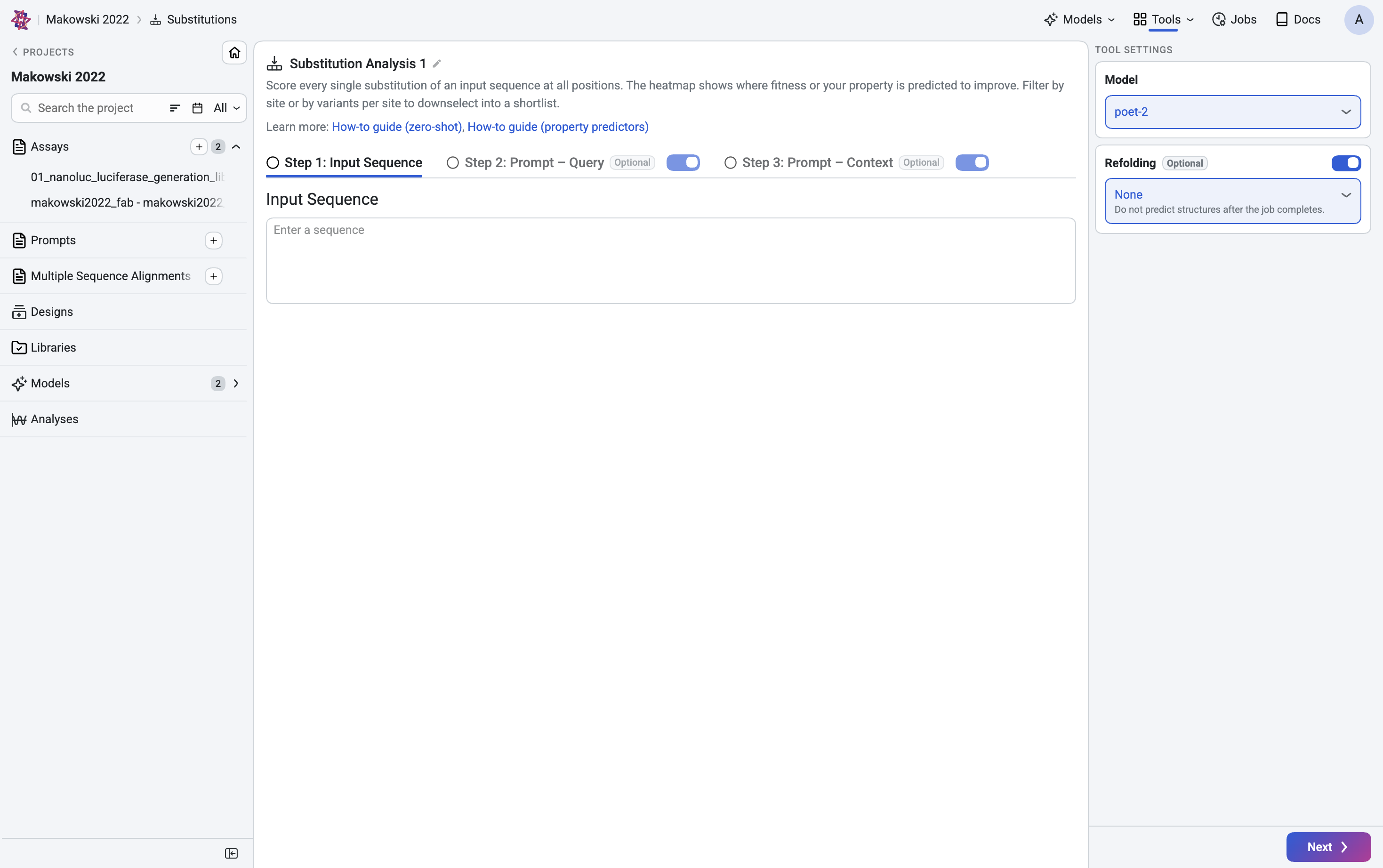
- Click the Tools dropdown, then click Substitution.
- Enter the sequence in the first field.
- Select a model. PoET-2 is recommended for most applications.
- Define the context select an existing prompt, upload an MSA, or enter sequences directly. The prompt sets the context for every score, so build it from sequences related to your protein.
- Disable the query.
- Keep refolding settings to
None - Click Run.
Error 404
Error 400 error indicates an invalid prompt, a misaligned MSA, non-standard amino acids, inconsistent sequence lengths, or that no sequences pass your filters. Correct the cause and run again.
Select variants for the library
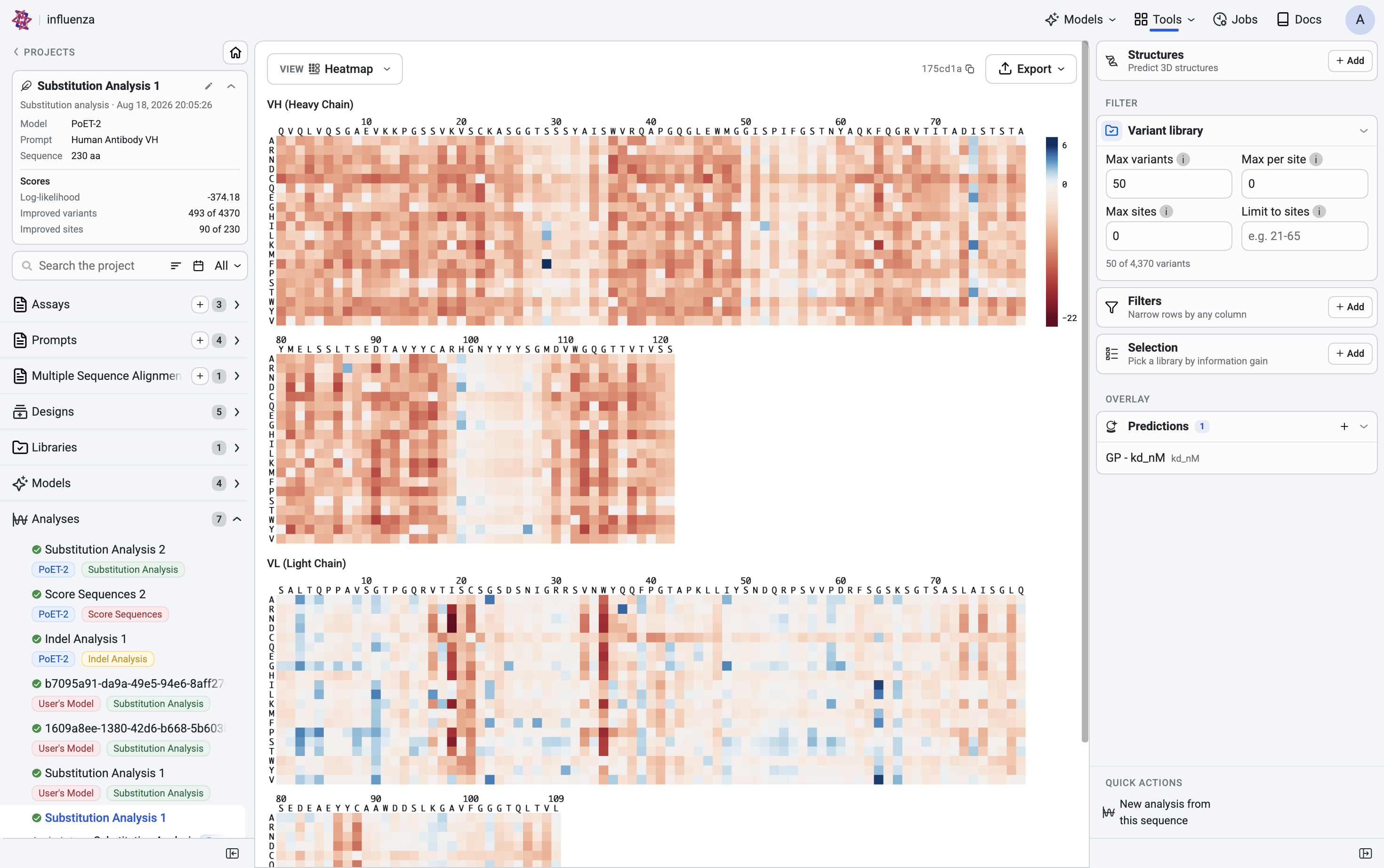
- Review the heatmap. Hover over a cell to see its score. The [highest-scoring] (link to interpreting scores here) variants and sites are listed in the table below the heatmap.
- Narrow the results to the number of variants you plan to build and test, which is usually set by your assay capacity and budget. We recommend setting Max Variants to that number, which keeps the top-scoring variants overall. Here are the filters available:
- Max Variants: show the top k variants with the highest PoET-2 scores (recommended)
- Max Variants per Site: show the top n substitutions at each position.
- Max Number of Sites: show the top n recommended positions.
- Limit to Site Number: restrict the results to specific positions, as single values or ranges.
- Click Export to download the results as a table.
- Optionally, open the Input tab to review the settings used for the run, or click a variant in the heatmap to start a new analysis with the alternate sequence.
Next steps
- Predict structure of sequences using Structure prediction tool
- Learn how to build a prompt
- Score single substitutions with a property predictor. See the tutorial